Copy trading for copiers via 10X Dashboard.
The alternate end-to-end flow when a client enters through the 10X Dashboard. The link is pre-attached to a specific strategy. This is the preferred path for copiers.
Alternate copier flow via 10X
Describes the alternate end-to-end flow when a client copies a strategy on the 10X platform via the 10X Dashboard.
10X marketing channels & support
- Clients onboarded through 10X marketing channels (direct, organic, associate, IB link) who land on the 10X Dashboard
- 10X and MV support staff guiding copiers through edge cases
10X Marketplace
When the copier clicks the Copy button from a strategy on our Marketplace the link they hit is pre-bound to that system. After signing in or creating an MV Social account, they are redirected directly to the program subscription view. They do not have to open the Copytrading Store and search for the strategy manually.
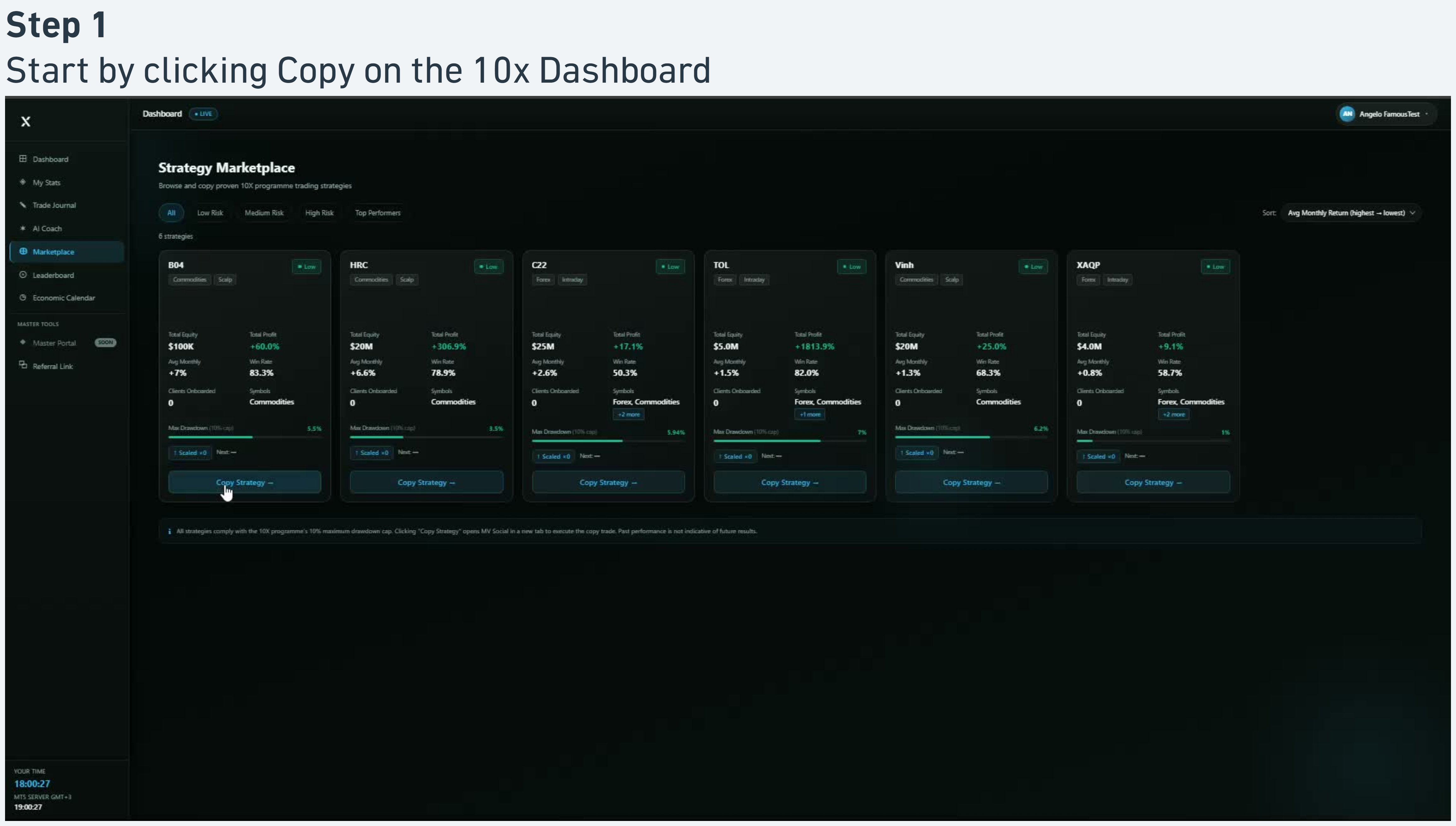
Click Copy on the 10X Dashboard
From the 10X Dashboard marketplace view, locate the strategy card you want to copy and click the Copy action.
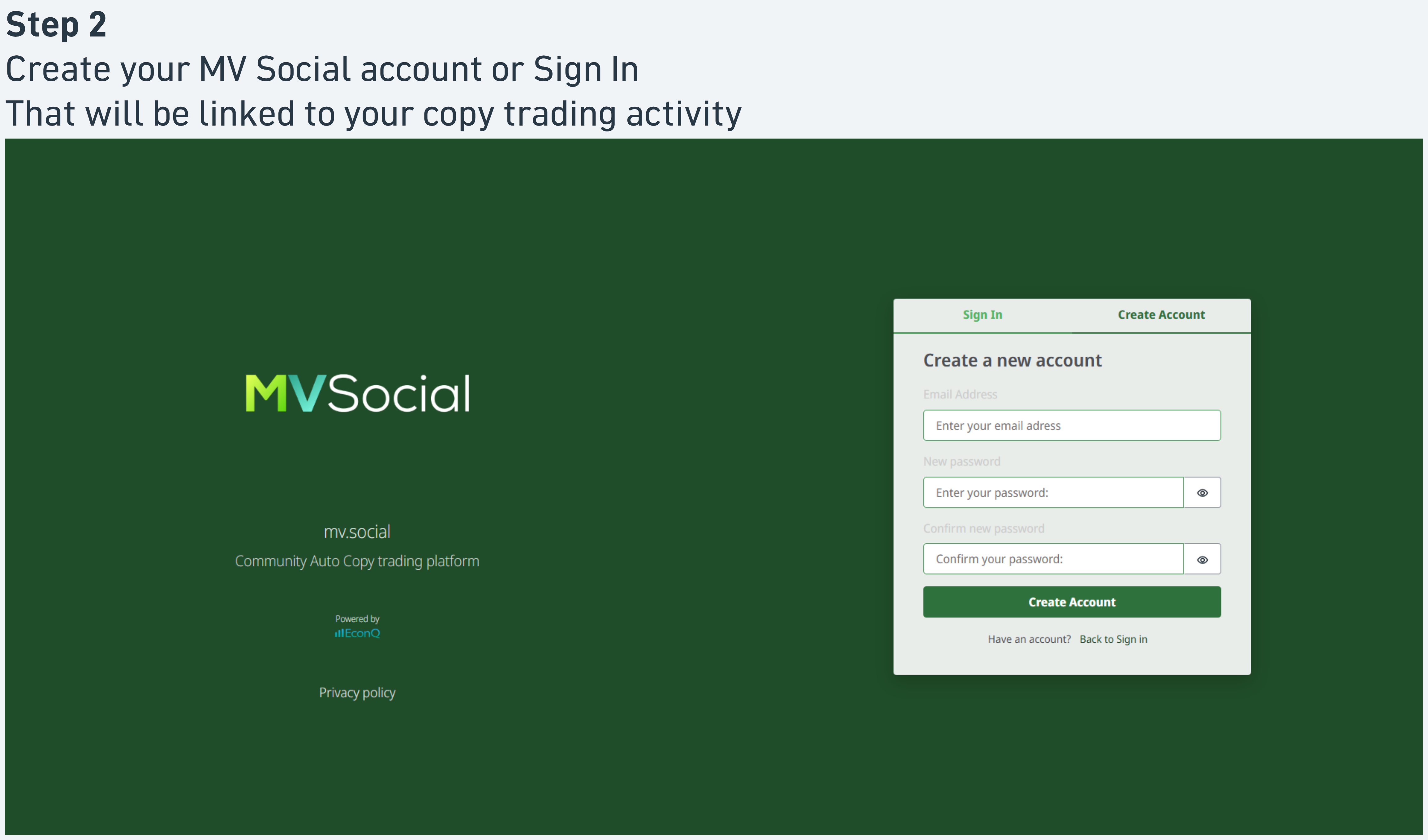
Create or sign in to your MV Social account
If you are not already signed in, MV Social presents a Sign In / Create Account screen. Either sign in with an existing MV Social account or create a new one using the email you want associated with your copy-trading activity.
Either path continues to the same destination.
Land on the specific strategy page
After authentication, you are redirected directly to the program subscription view for the strategy whose Copy button you clicked.
The view shows the strategy summary: name, provider, performance, and chart. You do not need to search for the strategy yourself.
This is the time-saving moment
Two clicks saved versus the MarketVox path. The user lands exactly where they signalled intent, high conversion, low drop-off.
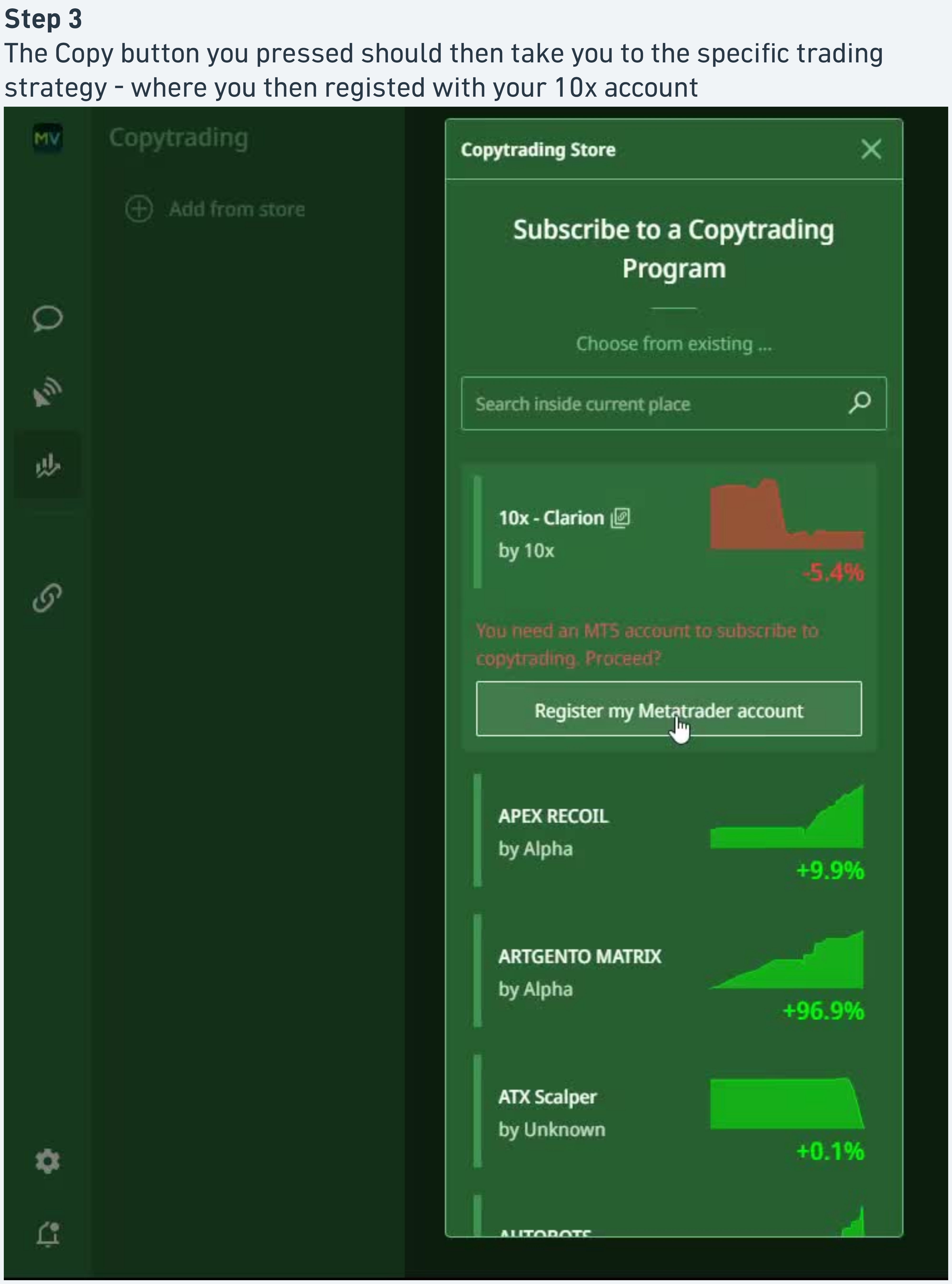
Confirm and open Subscribe
Click Subscribe on the strategy card to open the "Subscribe to a Copytrading Program" panel.
The panel restates the strategy and offers the option to register a trading account if you do not already have one connected.
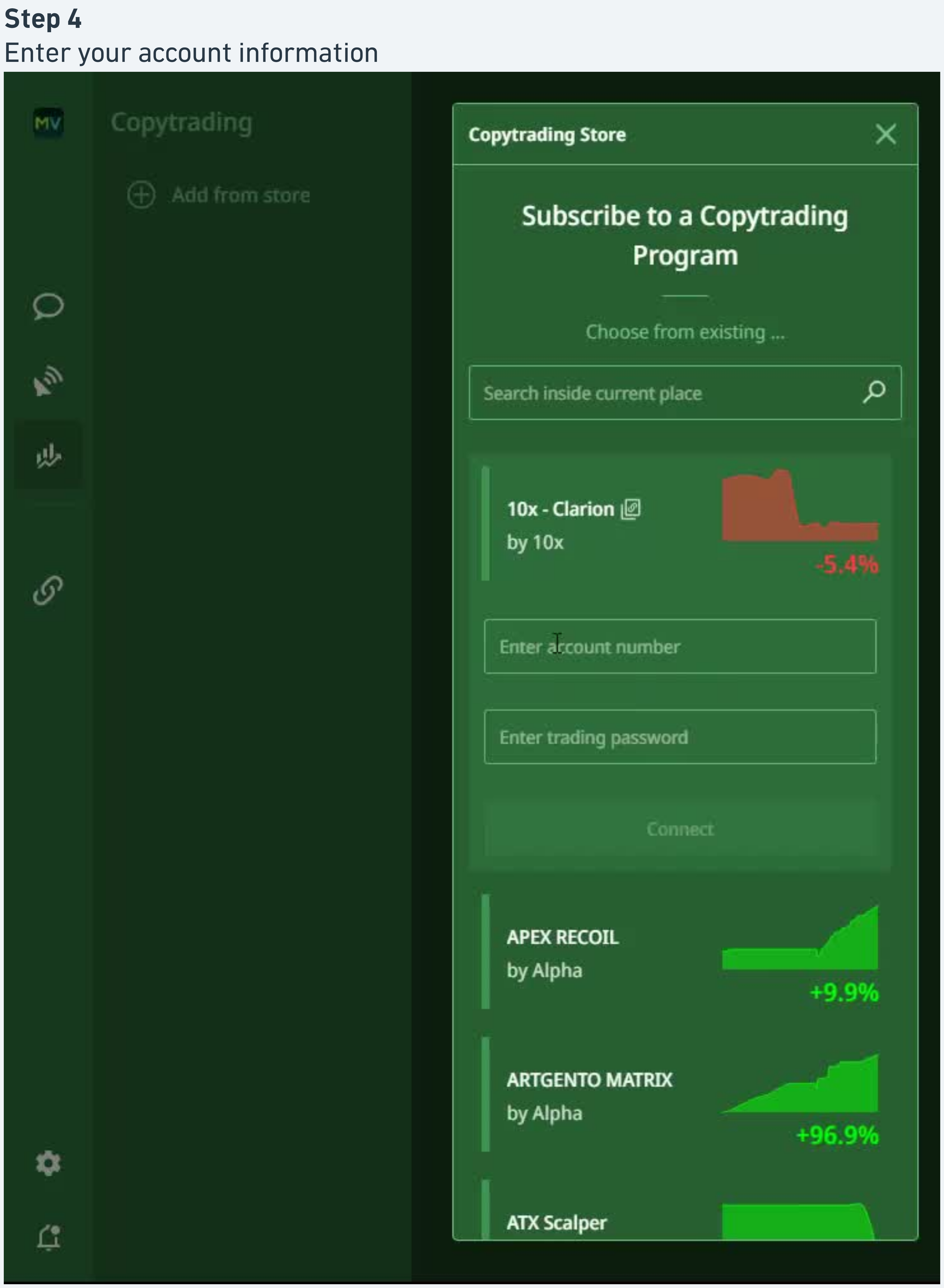
Register or select your 10X trading account
If your 10X MT5 account is not yet connected, the panel prompts you to add it.
- Enter the account number
- Enter the trading password
- Submit
Select the account from the existing accounts list.
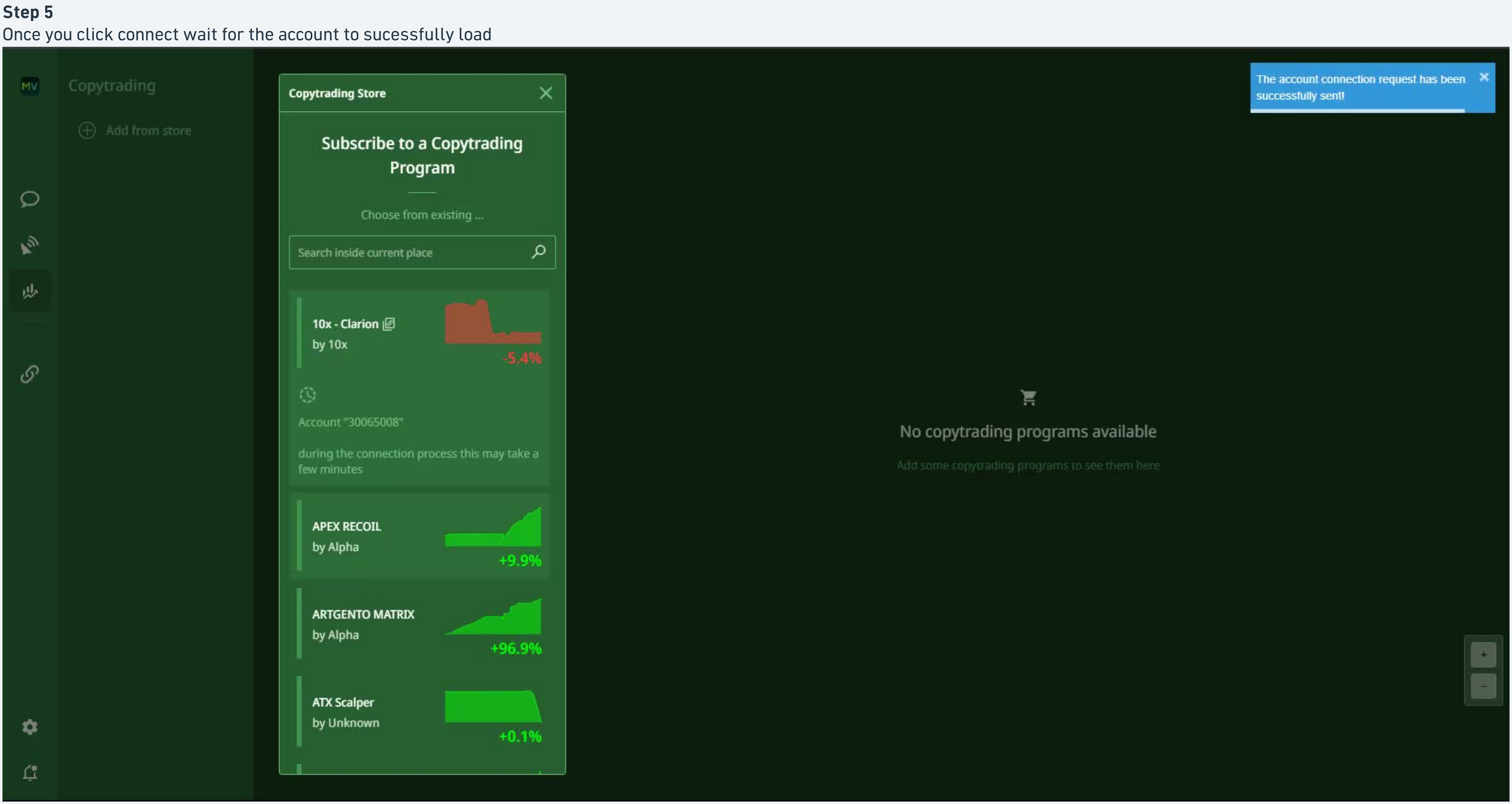
Review program details
The panel displays the strategy summary including a Monthly / Daily toggle and a performance chart. Confirm the strategy and account before proceeding.
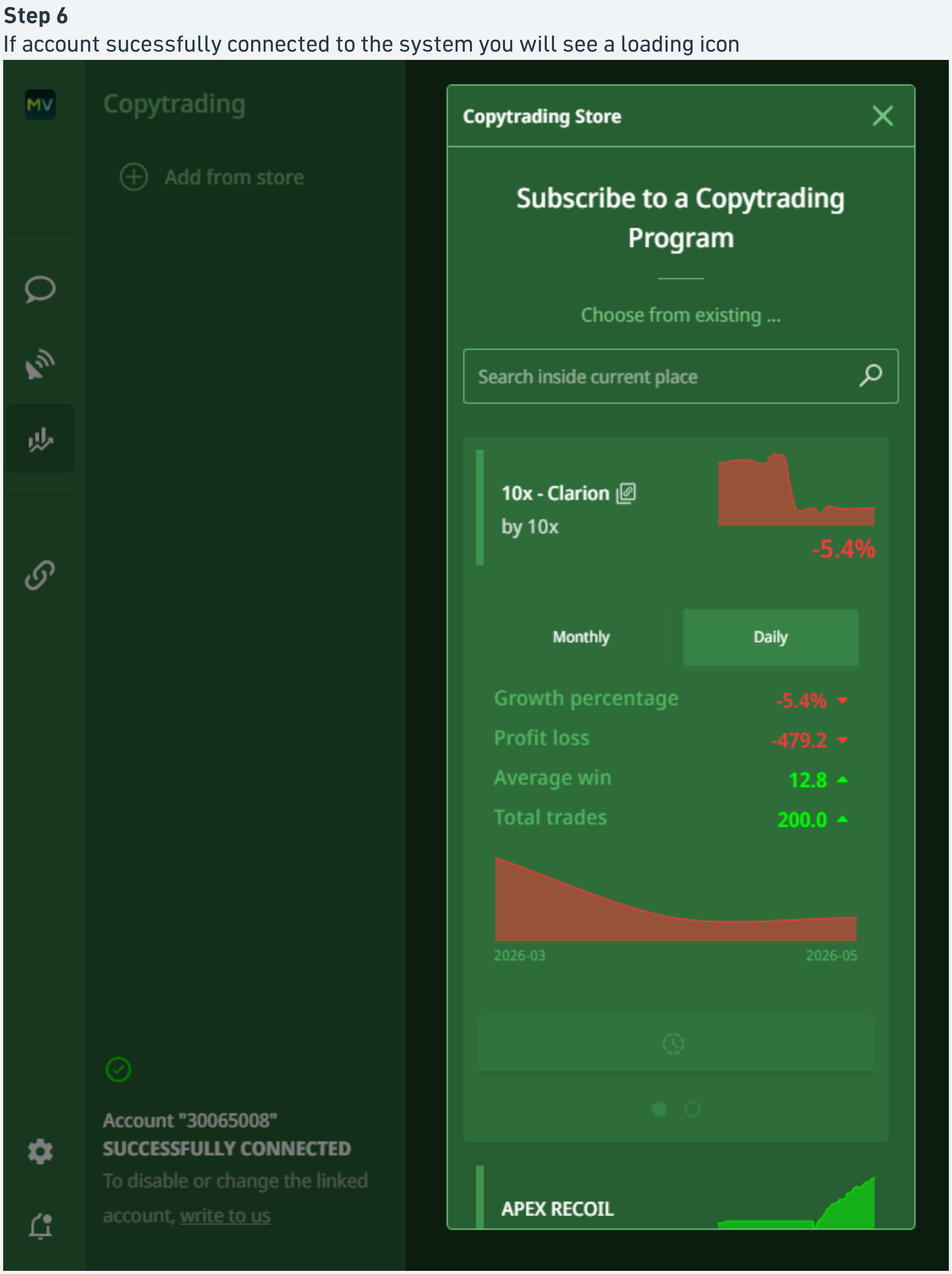
Set account risk and follow
Choose how your account mirrors the master strategy.
- Fixed lot: every copied trade uses a constant lot size
- Risk multiplier by balance: copied trade size scales with your account balance
- Risk multiplier by equity: copied trade size scales with your live equity
Set the multiplier or lot value and press follow. Your account is now subscribed.
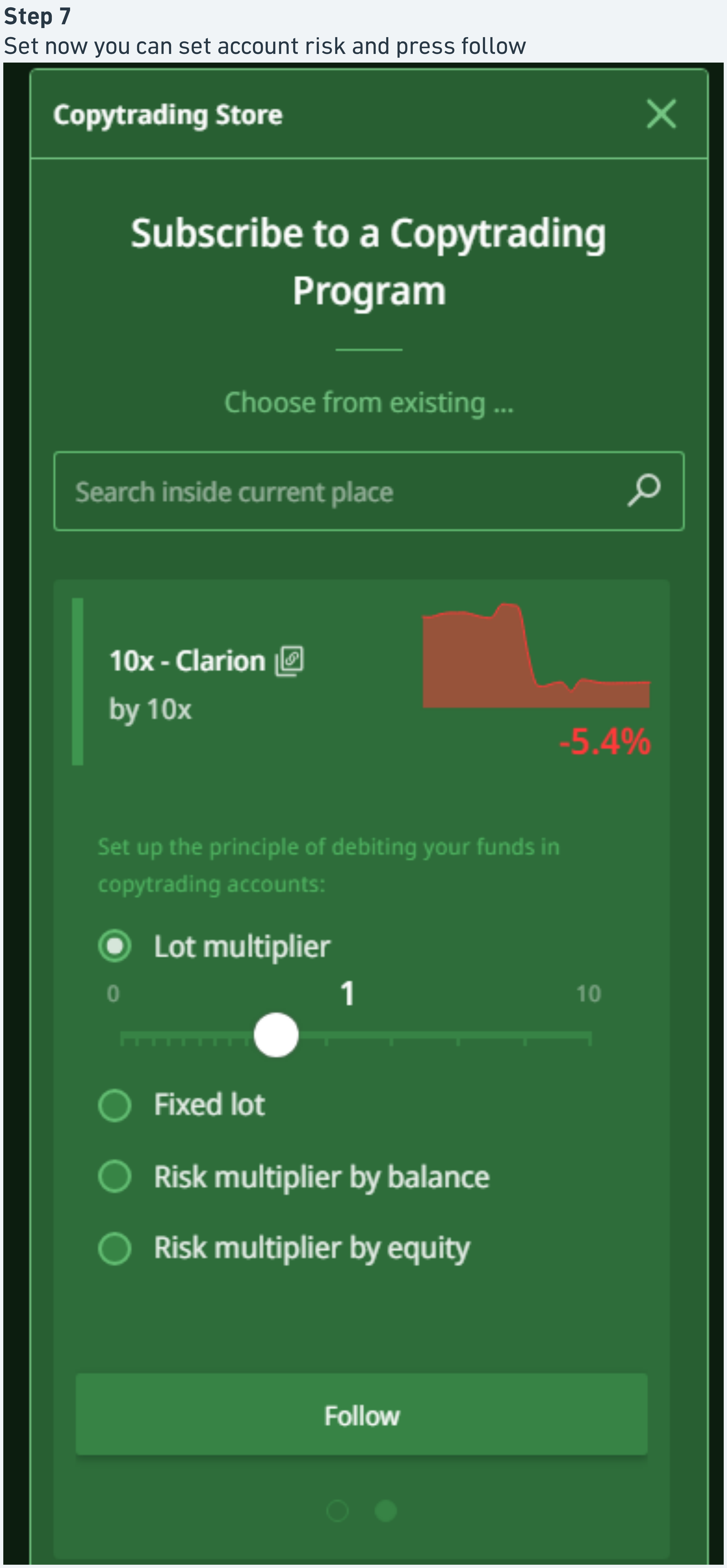
Verify the subscription on the dashboard
The subscription view confirms a successful connection.
- Growth percentage, Profit / loss, Average win, Total trades
- Signal Traded log: each event with timestamp, event, type, and symbol
Use this view to confirm that signals are being copied to your account.
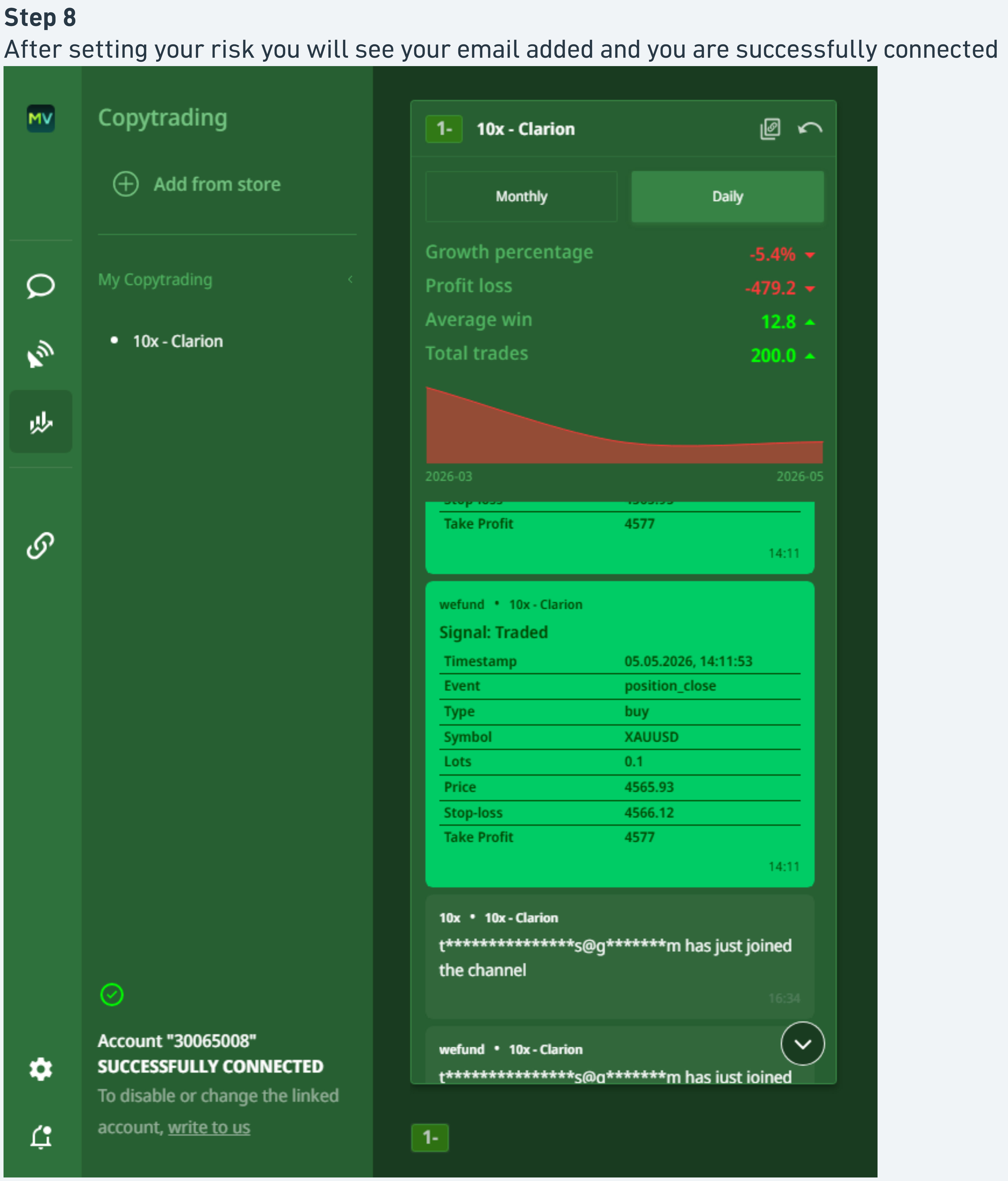
Manage the subscription in Settings
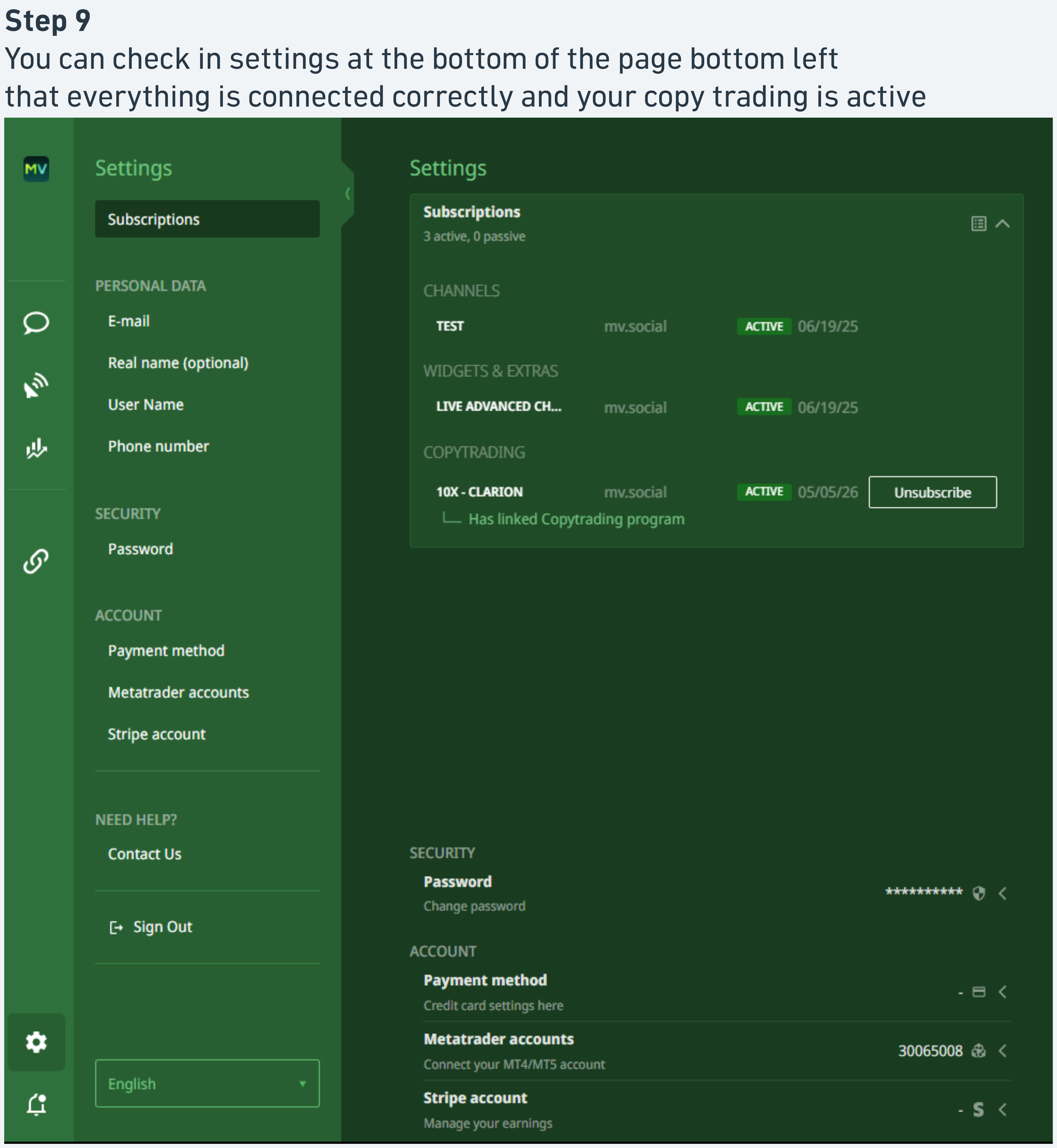
Open Settings (bottom-left of the page) to access the Subscriptions section.
- Subscriptions: active subscriptions with strategy name, provider, and an Unsubscribe action
- Personal data, Security
- Payment method, Metatrader accounts
Unsubscribe at any time
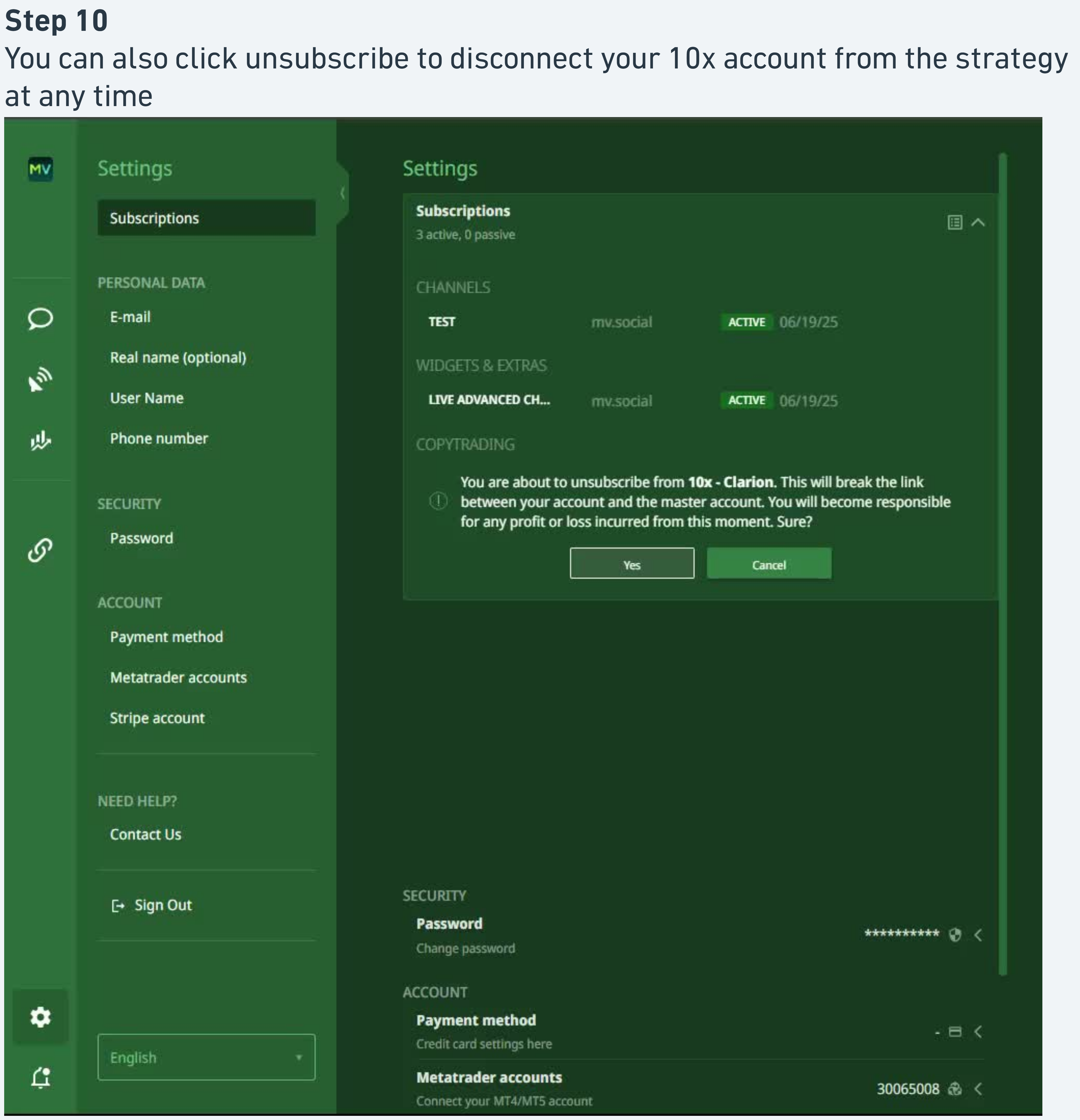
To stop copying a strategy, click Unsubscribe in the Settings Subscriptions section.
Confirmation modal, read before confirming
A confirmation modal warns that unsubscribing breaks the link between your account and the master account, and that you become responsible for any profit or loss incurred from that moment forward. Confirm to disconnect.
The Alt Flow exists because it converts better. Three structural advantages over the MarketVox entry path, this is why we want 10X marketing channels driving traffic through this door, not the MV one.
Two fewer clicks
No Add from Store. No strategy search. The user lands on the exact strategy they signalled interest in.
Lower drop-off
Because the user lands on the strategy they already clicked on. The intent-to-action path is straight, not branching.
Easier to instrument
Every Copy button is mapped one-to-one to a strategy. Marketing funnel attribution is clean and granular.
If all five signals are hit, the flow is fully complete. If any one is missing, that's the failure point to investigate.
MV Social account created or signed in
Identity layer established for the subscription.
Redirected to the correct strategy without searching
Confirms the pre-bound link from the 10X Dashboard worked. If the user has to search, the Copy button was wired wrong, flag to 10X team.
10X MT5 account connected and shown as SUCCESSFULLY CONNECTED
The live trading account is bound. Status string must read "SUCCESSFULLY CONNECTED", anything else means the bind failed.
Subscription created with a defined risk setting
Risk type (fixed lot / multiplier by balance / multiplier by equity) explicitly set. No default, the copier must choose.
Trades appearing in the Signal Traded log
Final confirmation. Once the master places a trade, the log entry appears on the copier dashboard.