Running a managed PAMM strategy.
End-to-end setup for money managers, from registration through offer creation, performance fees, management fees, agent commissions, and join-link generation.
A money manager publishes an Offer. The offer carries the commercials, trading interval, performance fee, management fee, agent commissions. Investors subscribe to the offer and trades replicate proportionally. Fees flow back to the manager (and any configured agents) at each trading-interval rollover.
Investor capital
Pooled across investors who join the offer.
Manager trades
Allocated proportionally to each investor's stake.
Rollover & fees
Manager + agents paid per offer commercial terms.
Money managers & their ops
- Money managers setting up their first or additional PAMM offer
- 10X ops staff configuring agent commission destinations
- Support guiding managers through offer fields and fee mechanics
What the manager configures
- Trading interval (days / weeks / months)
- Minimum deposit / withdrawal / initial investment
- Performance fee % (mode: Equity)
- Management fee % or flat per month
- Agent commission split scheme
- Join links for direct invitation
Critical · agent commission setup must happen BEFORE going live
Agent accounts are set by MarketsVox staff in admin. Manager must inform their account manager (or contact support) with the account number where fees should be paid. If this is not done, fees will be paid into the manager account. Cannot be retroactively changed for past investor commitments.
PAMM client area
https://pamm.marketsvox.com/app/auth
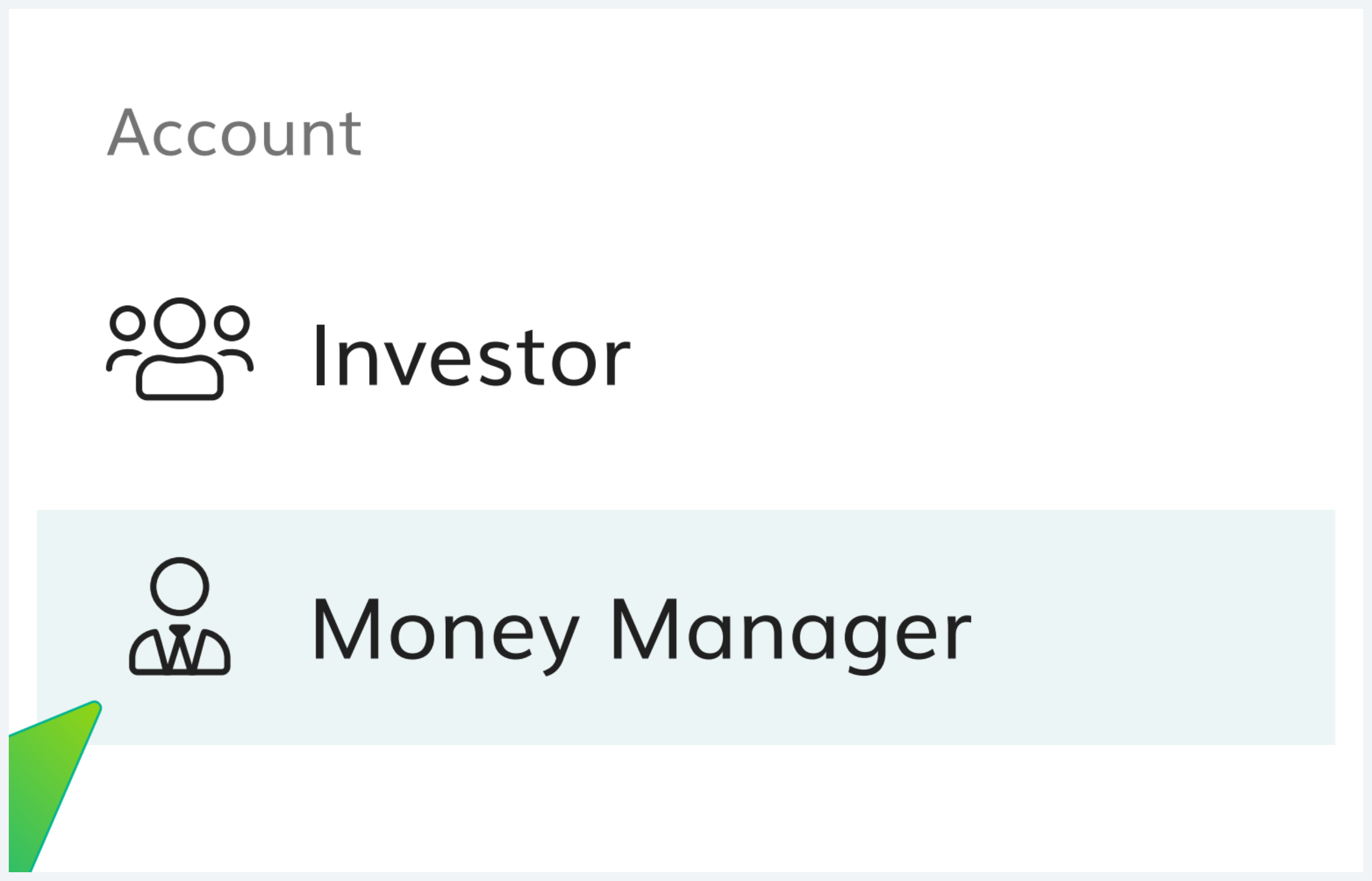
Choose 'Money Manager'
Open the PAMM client area. From the account-type selector, pick Money Manager.
PAMM client area
https://pamm.marketsvox.com/app/auth
Register and log in
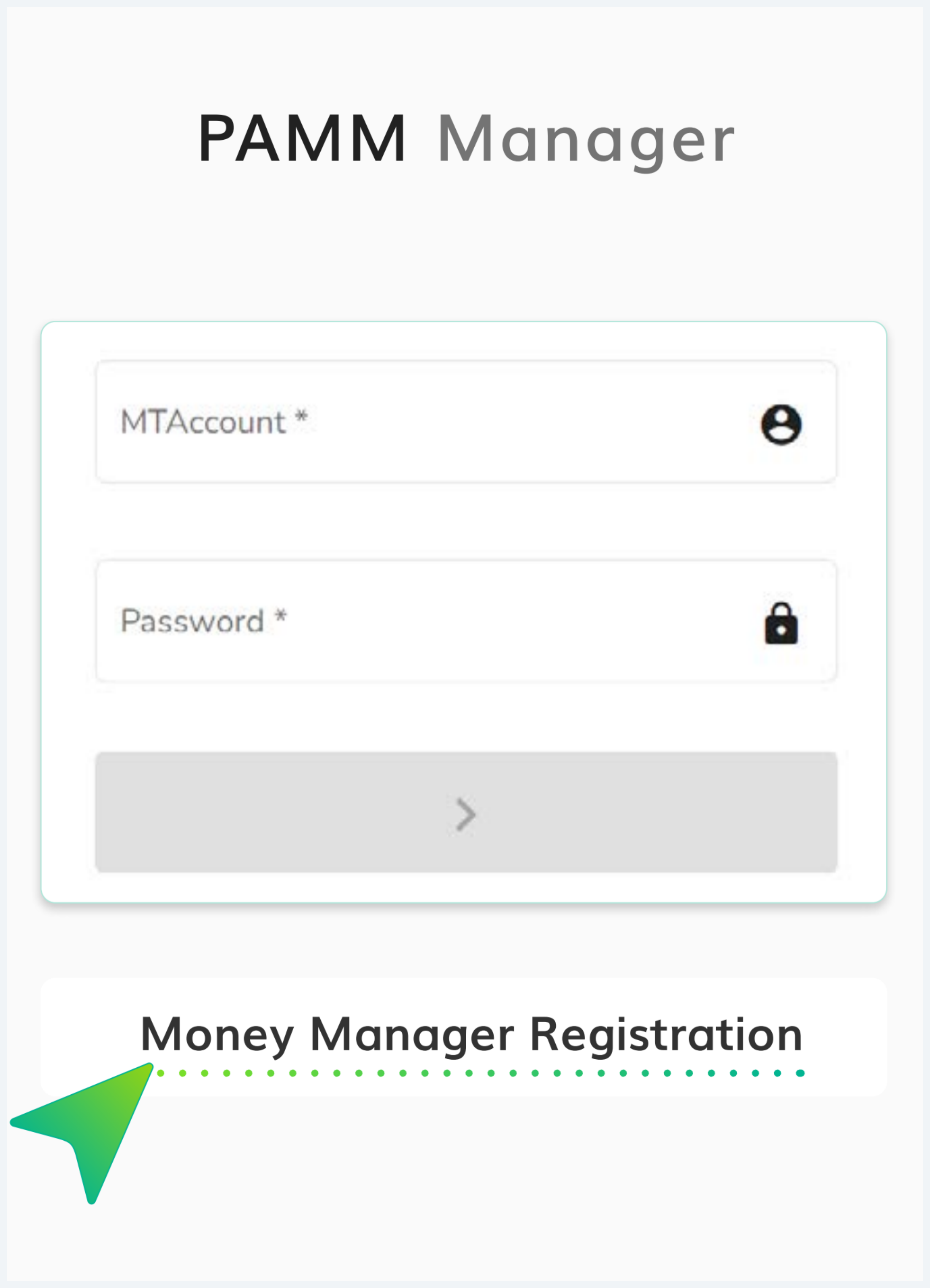
From the PAMM Manager login screen, click Money Manager Registration, then log in using an existing MarketsVox account and name the new PAMM.
The login screen shows the MTAccount + Password form for returning managers. Below that sits the Money Manager Registration link, this is the path for first-time setup.
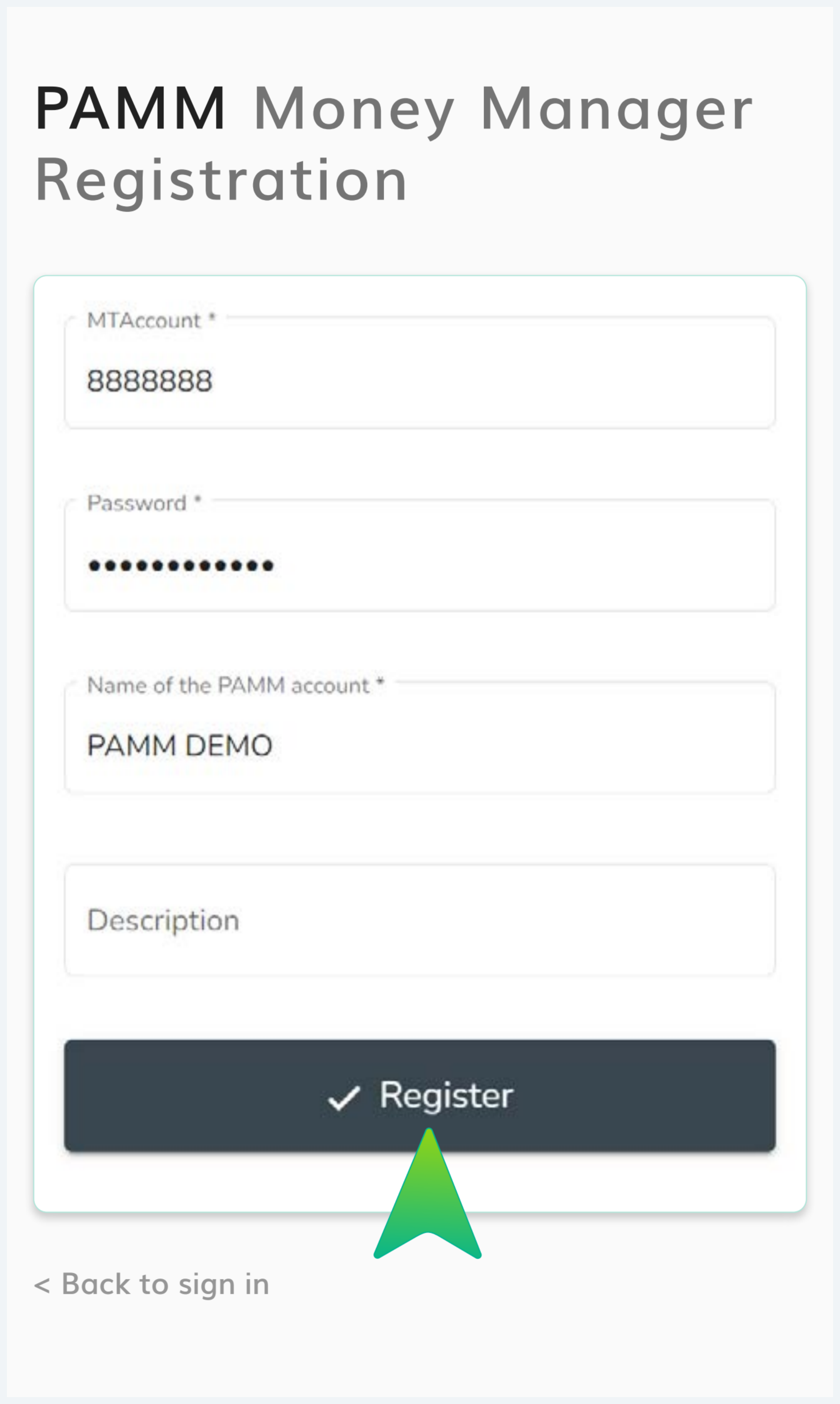
The registration form binds to an existing MarketsVox trading account. Provide:
- MTAccount: the live MarketsVox account that will be the master account
- Password: that account's trading password
- Name of the PAMM account: public-facing name (e.g. PAMM DEMO)
- Description: optional public text shown to investors
Click Register to submit.
The PAMM name is what investors see
This name appears in the public Manager list when investors browse for a PAMM to join, and you use it to log in to the money management of the PAMM on the webpage. Pick wisely, changing it later is awkward.
Once logged in, go to 'Offers'
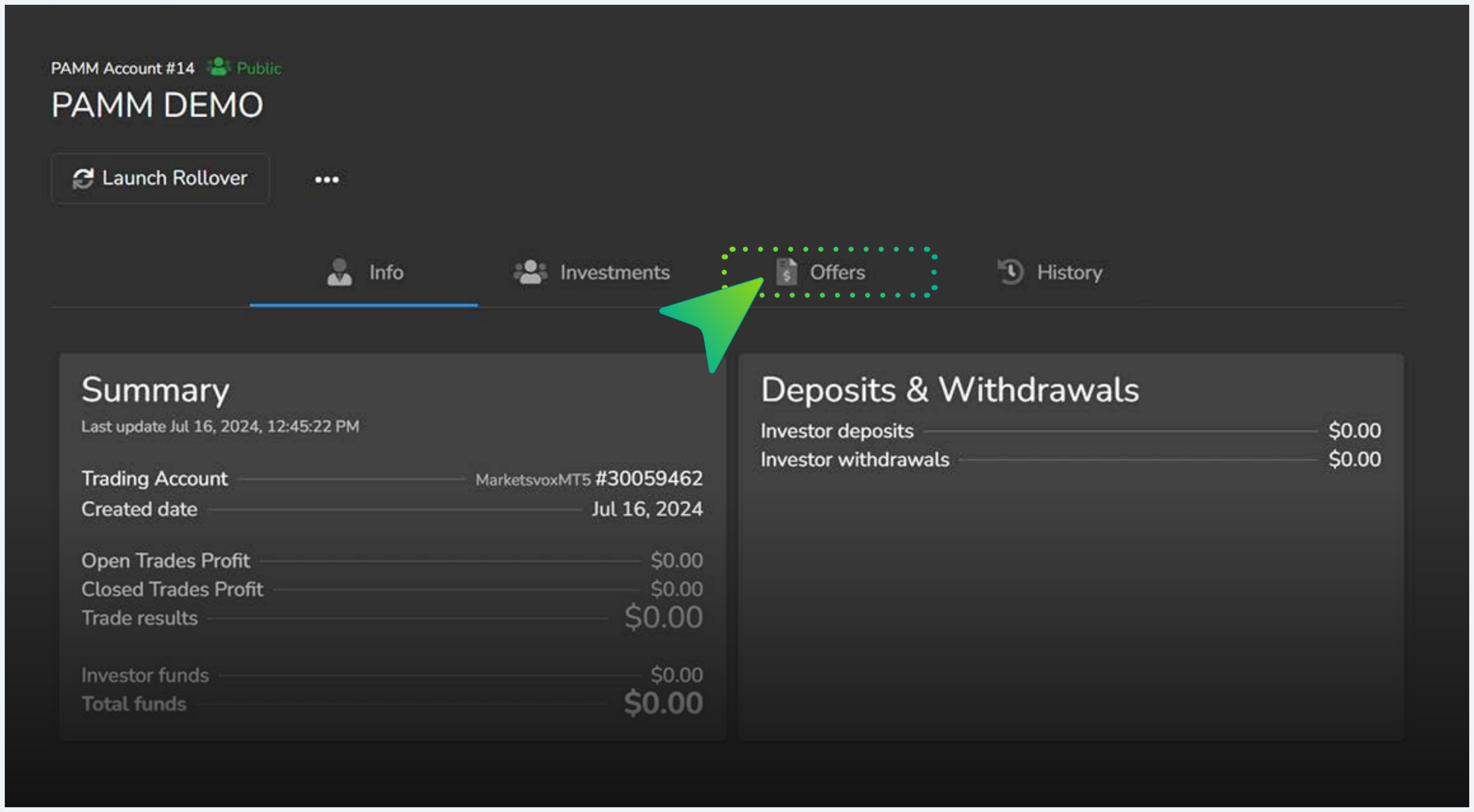
Once logged in to the PAMM Manager dashboard, navigate to the Offers tab to start creating the commercial terms.
- Top nav: Money Managers · Investments · History
- PAMM Account # and PAMM name (Public/Private indicator)
- Tabs: Info · Investments · Offers · History
- Summary card with Trading Account, Created date, Open/Closed Trades Profit, Trade results, Investor funds, Total funds
- Deposits & Withdrawals summary
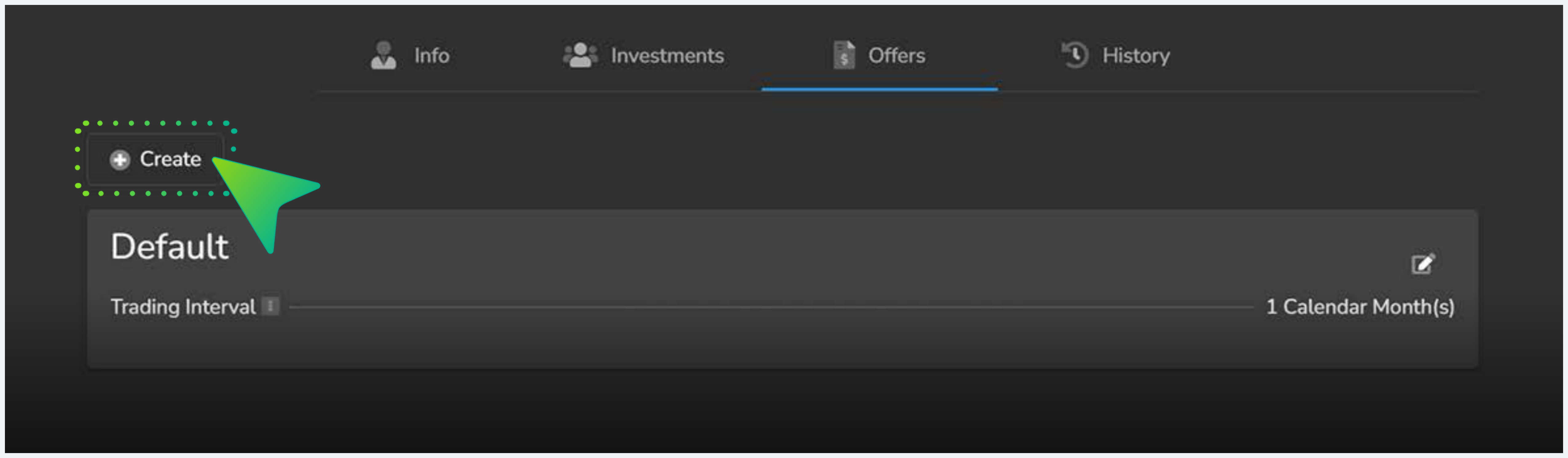
Select 'Create'
Inside the Offers tab, click Create (top-left, with the + icon) to open the new offer form. An offer named Default may already be present with a 1 Calendar Month trading interval, you can edit it or create alongside.
Fill in the offer fields
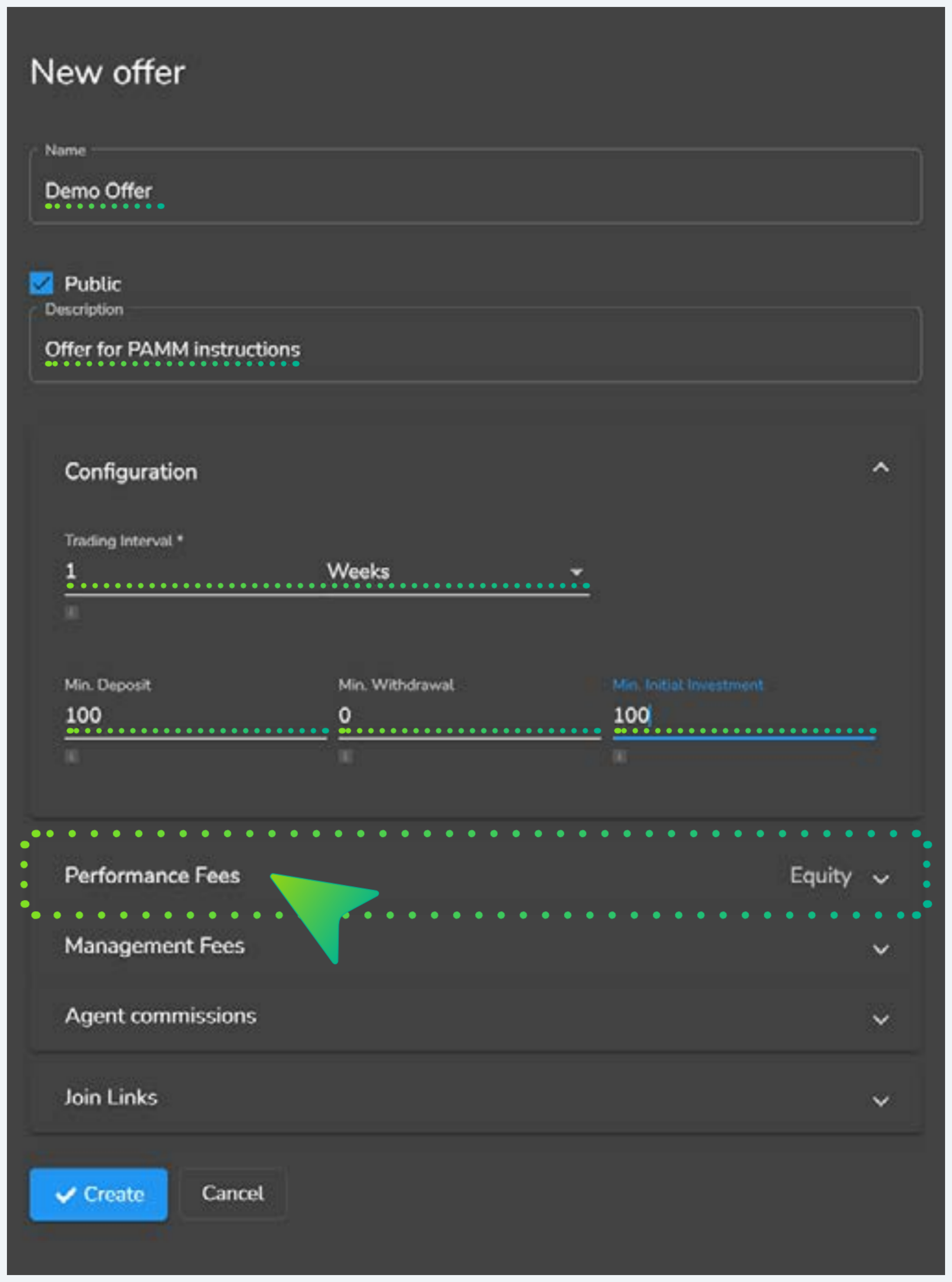
The New Offer panel asks for the public-facing details and the trading mechanics. All these are visible to potential investors.
- Name: public offer name (e.g. Demo Offer)
- Public: checkbox controlling visibility in the Manager list
- Description: optional text shown alongside the offer
- Trading Interval: number + unit (days / weeks / months)
- Min. Deposit: minimum investor deposit (base currency)
- Min. Withdrawal: minimum withdrawal amount
- Min. Initial Investment: minimum first-time investor commitment
Trading interval drives everything downstream
Performance fees calculate at each interval close. A 1-week interval means fees compute weekly; 1-month means monthly. Pick this deliberately, it determines investor cash-flow cadence.
Specify the performance fee
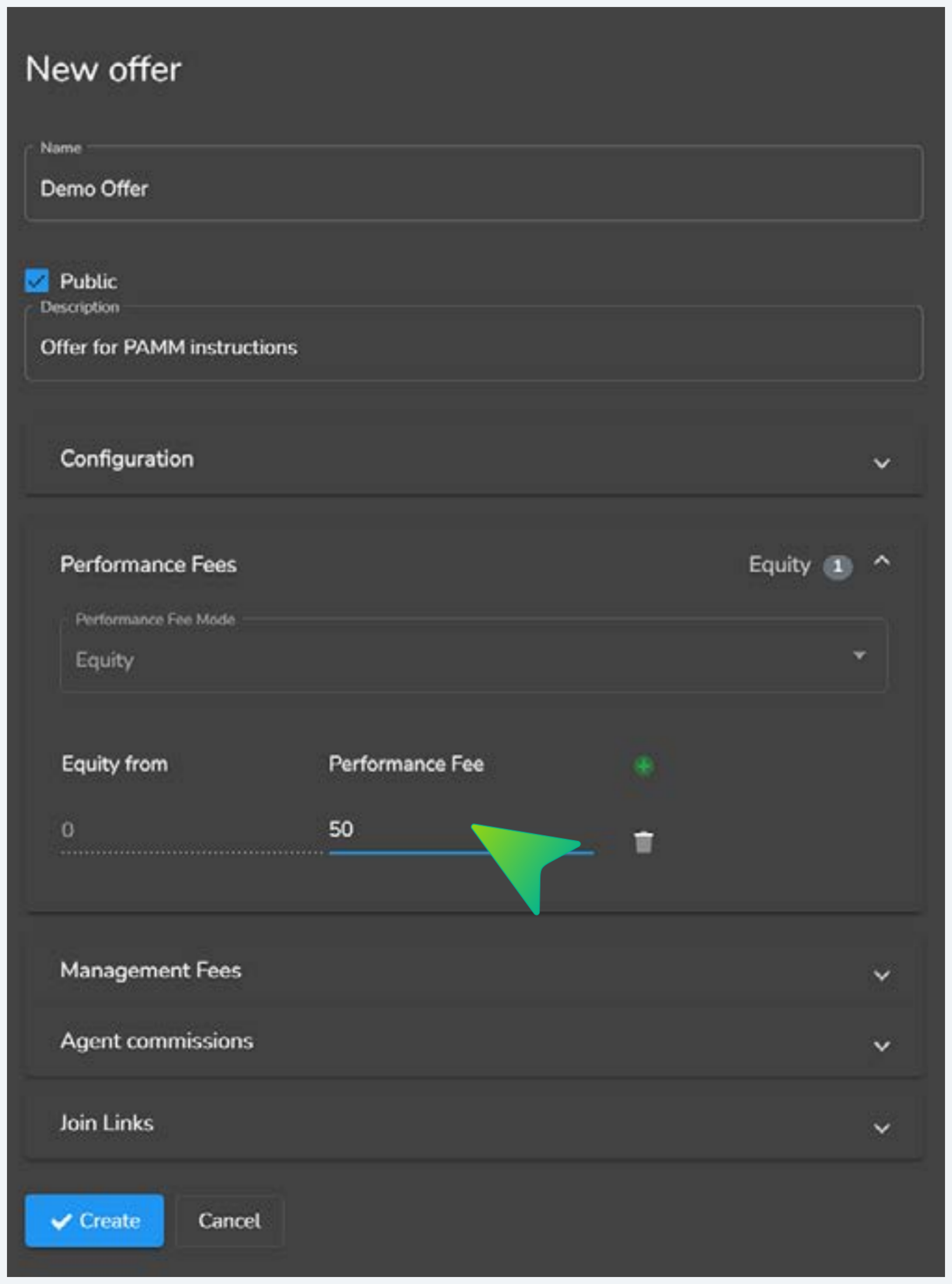
Expand the Performance Fees section. Set the percentage charged to investors based on profit performance. The example shown in source documentation sets this to 50%.
- Performance Fee Mode: Equity (default)
- Equity from: threshold value (set to 0 to apply to all profit, or set a high-water mark)
- Performance Fee: percentage (the example shows 50%)
This is what investors will see
The performance fee % is publicly visible in the offer panel before investors join. They explicitly agree to this when they accept PAMM terms. Setting it competitively for your strategy is part of how you attract investor capital.
Set management fees if you wish
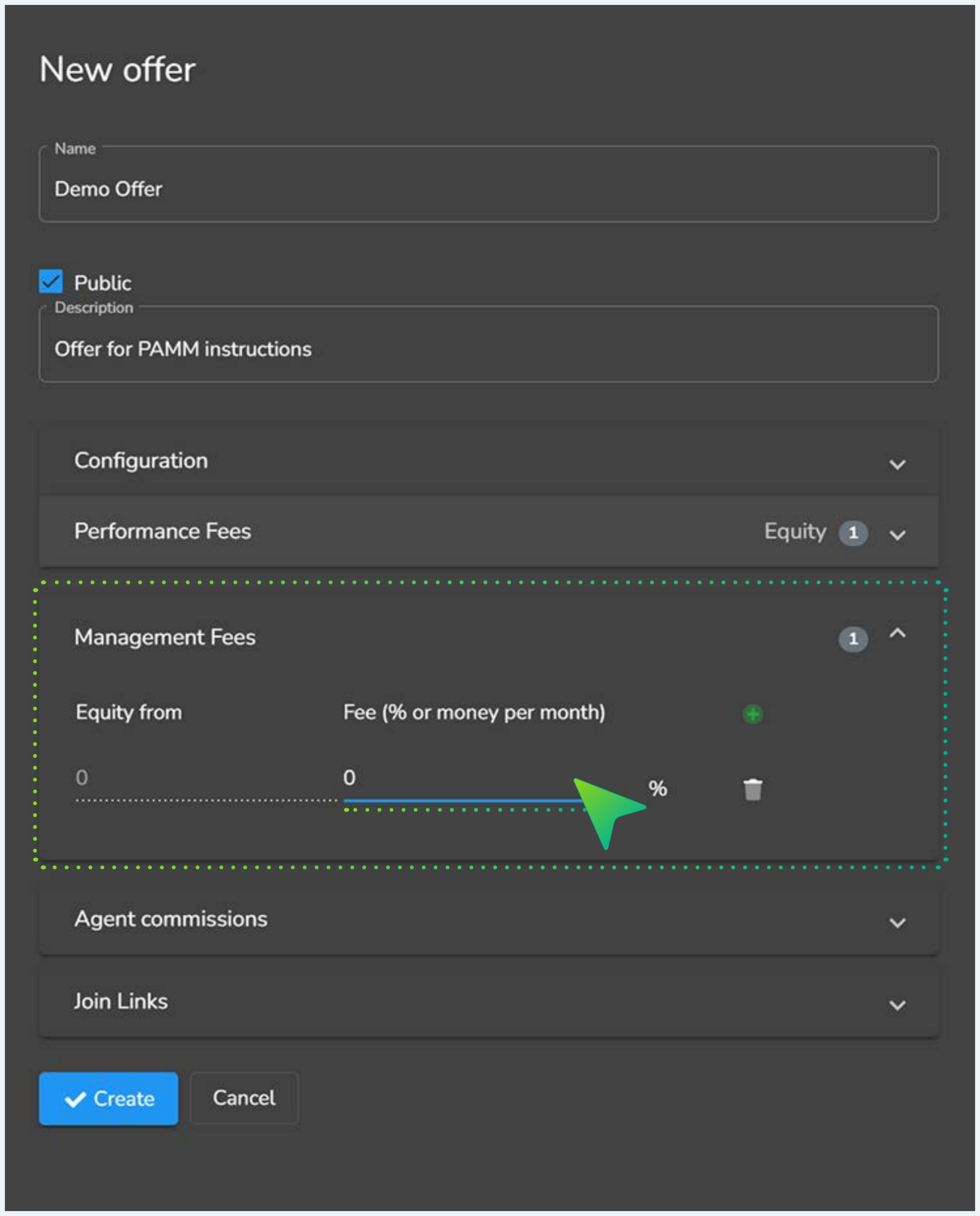
Expand the Management Fees section if the manager wants to charge a periodic management fee separate from performance. The source documentation example sets this to 0.
- Equity from: threshold equity (0 = applies from the first dollar)
- Fee: either a percentage OR a money amount per month (toggle between % and money)
Leave at 0 to charge performance fee only. Add a non-zero value to layer a periodic fee on top of performance.
Management fee runs in parallel to performance fee
The two fees stack, management charges every month regardless of performance, performance charges at interval close on profit. Most retail offers leave management at 0 and rely entirely on performance fee; institutional offers more often include both.
Configure agent commissions
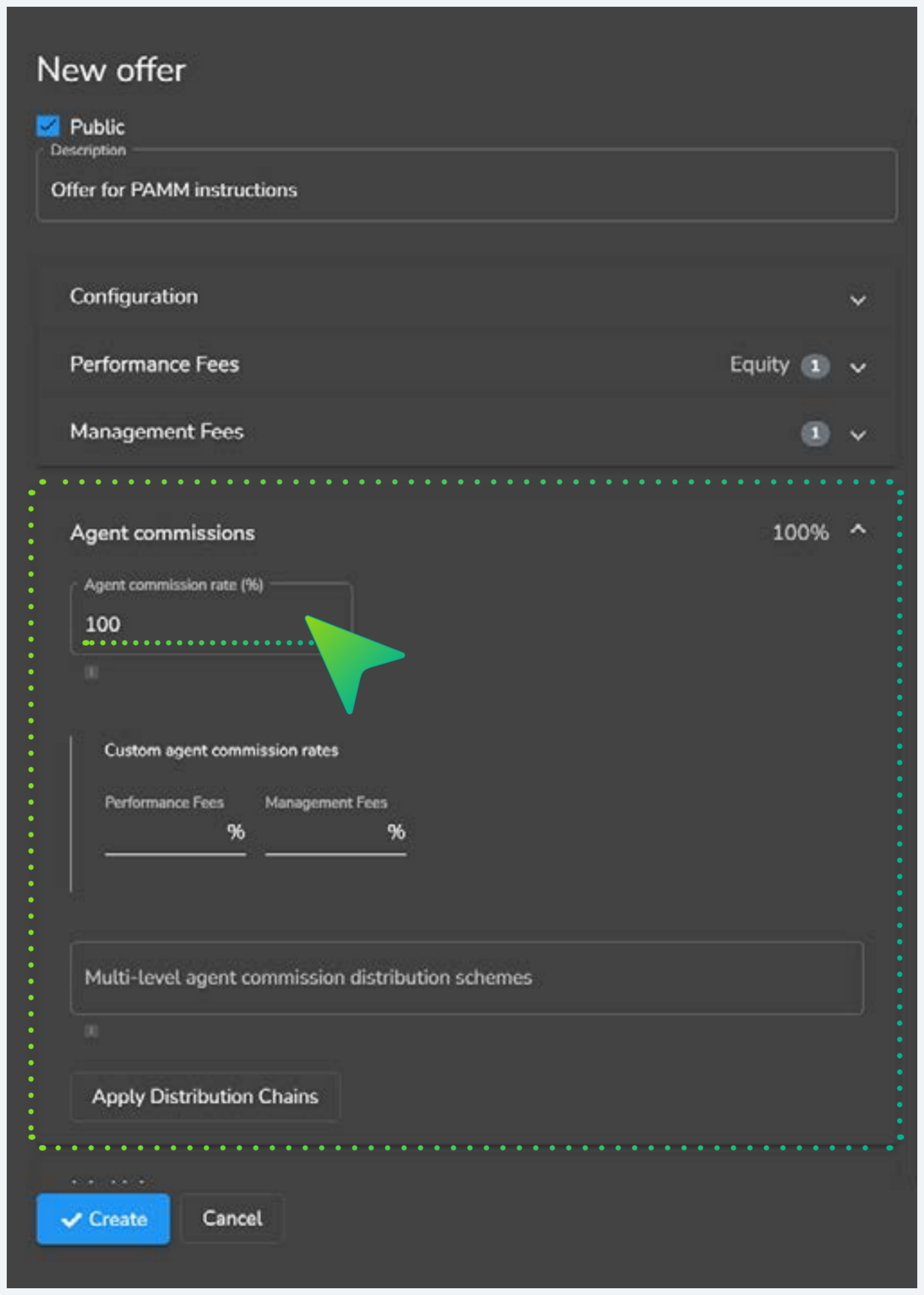
Agent commissions need to be set if the manager wants fees paid to designated accounts outside the PAMM account (e.g. agents, sub-IBs, partners).
- Agent commission rate (%): what % of fees flow to agents (rest stays with manager). Source example: 100%.
- Custom agent commission rates: separate rates for Performance Fees and Management Fees
- Multi-level agent commission distribution schemes: split format when multiple agents in the chain
- Apply Distribution Chains: activates the multi-level scheme
Critical · agent accounts must be set in admin BEFORE offering to investors
Agent accounts are set by MarketsVox staff in admin. Please inform your account manager or contact support and inform them the account number you wish to have fees paid into. If you do not do so, fees will be paid into the manager account. This must be done before offering to your investors.
Create join links & publish
Optional but recommended: generate Join Links that connect investors directly to this specific offer. Then publish.
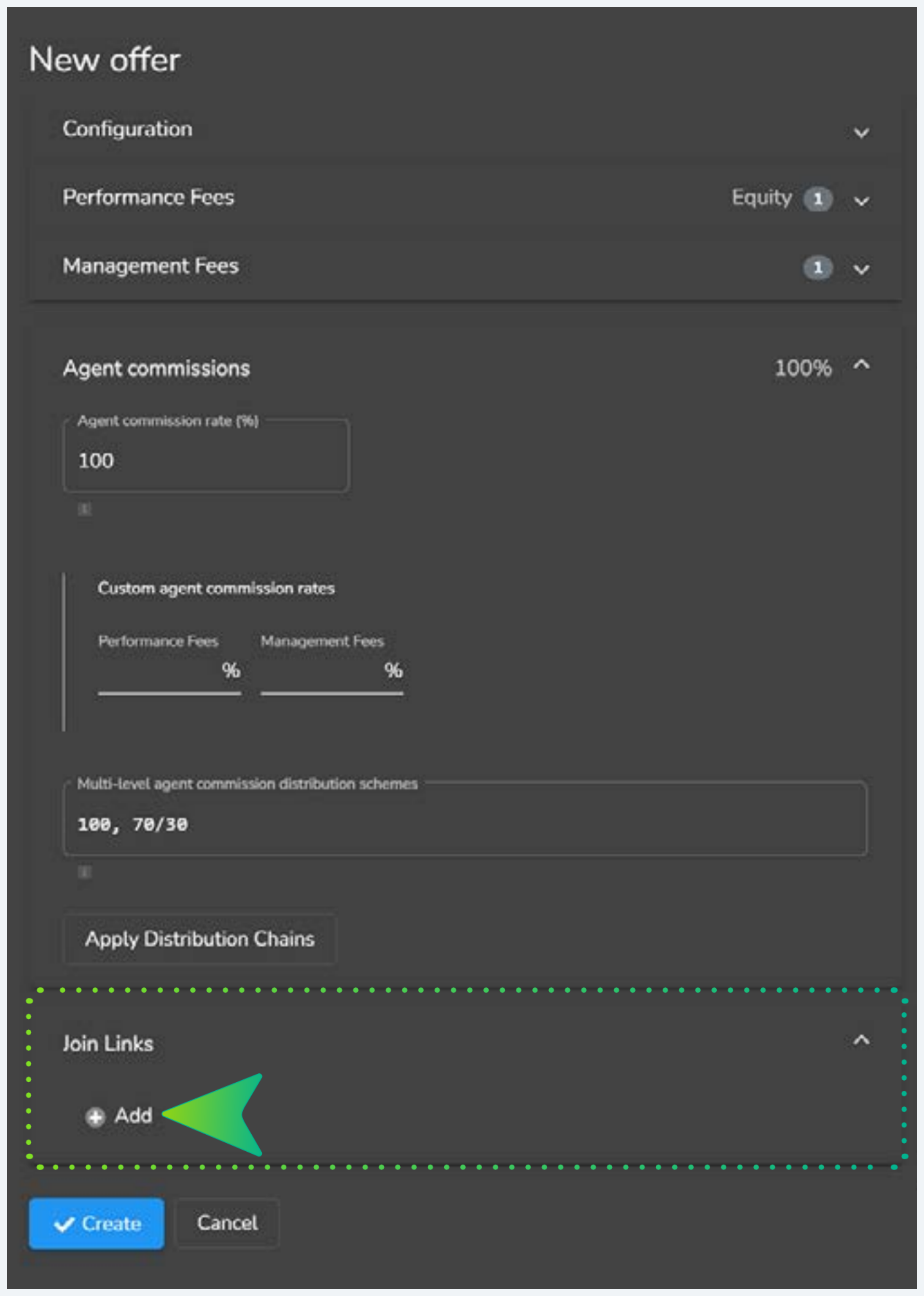
- Expand the Join Links section
- Click Add to generate a unique link
- Share the link with investors, clicking it routes them straight to this offer's investor join screen
Push the Create button at the bottom of the form. The offer is now live and (if Public was ticked) appears in the investor-facing Manager list.
Join links are the cleanest distribution channel
Direct join links bypass the marketplace browsing step entirely, investor clicks the link, lands on the join screen for this specific offer, enters MT5 credentials, accepts terms, done. Use these in IB outreach, manager websites, and email campaigns rather than telling investors to "find me in the list."
All five must be true for the PAMM offer to be considered fully operational. Missing any one will either block investors from joining, or route fees to the wrong destination.
Money Manager identity registered & bound to MarketsVox account
PAMM-side identity created using existing MT5 credentials. PAMM Name is public and finalized.
Offer configuration complete, trading interval & minimums set
Interval drives fee rollover cadence. Min deposit / withdrawal / initial investment all defined.
Fees configured, performance + (optional) management
Performance fee % set with Equity mode. Management fee at 0 or non-zero per offer strategy.
Agent commissions configured & admin accounts set via MV staff
Multi-level split scheme in place if applicable. Designated payout accounts confirmed with MarketsVox admin before investors join.
Offer published (Public ticked) + join links distributed
Offer appears in investor-facing manager list. Direct join links generated and shared through IB / outreach channels.