Publishing a copy-trading strategy.
End-to-end flow for a Strategy Provider signing up to publish a copy-trading strategy via MarketVox. Includes two manual verification gates handled by the 10X team.
Provider sign-up & publish
End-to-end flow for a Strategy Provider (partner) signing up to publish a copy-trading strategy on the 10X platform via the MarketVox dashboard.
Providers + 10X ops
- Strategy Providers (SPs) and SP hybrids signing up through MarketVox
- 10X internal team members who handle the manual verification touchpoints
Two verification gates + the performance fee
- Step 3 · MV Social → Signal Provider conversion. Provider sends their sign-up email + CU (client user) number to 10X. 10X works with MV support to upgrade the account.
- Step 7 · Strategy verification. After program creation, provider notifies 10X. 10X verifies the strategy account with MV before it goes live.
- Performance fee. Provider must explicitly communicate the desired performance fee. 10X passes it to MV. If skipped, the program goes live at 0% and revenue is lost.
Two gates the provider cannot self-serve
Steps 3 and 7 require the 10X team to action. Both are flagged in the index and on the step pages with a MANUAL badge. Skipping either leaves the strategy unpublishable or unsubscribeable.
Open CopyTrading inside the MarketVox dashboard
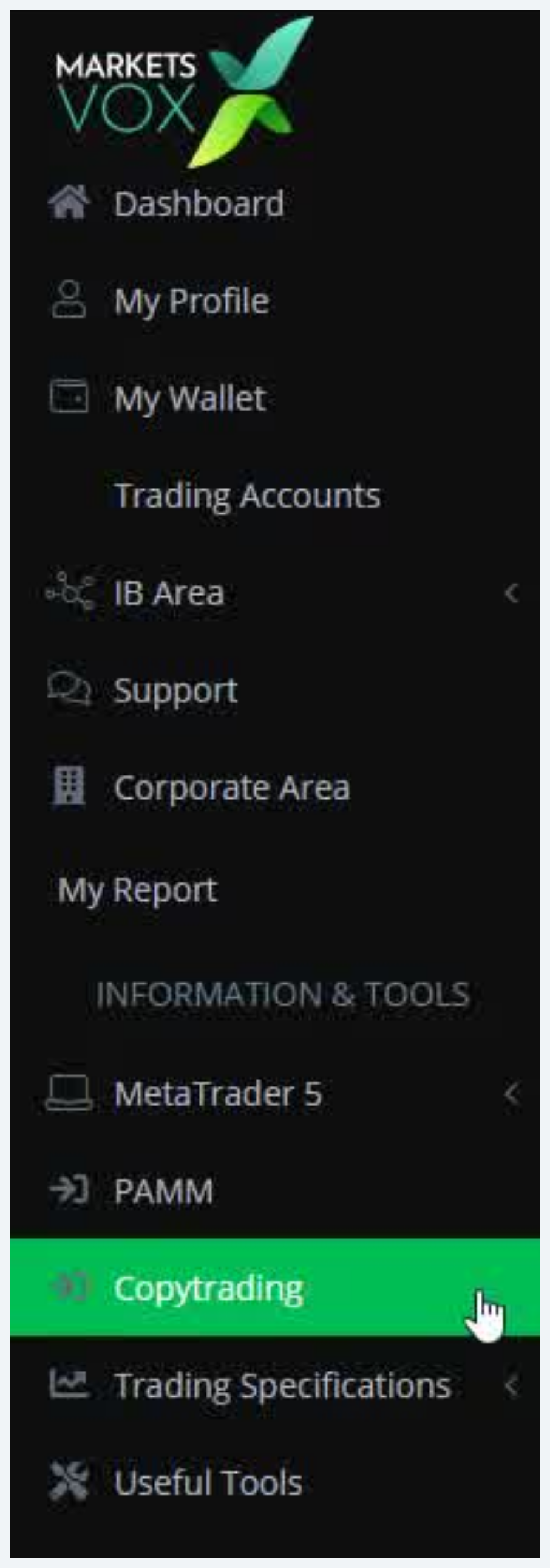
Sign in to the MarketVox client dashboard. In the left navigation sidebar, click on Copytrading.
- Dashboard, My Profile, My Wallet, Trading Accounts
- IB Area, Support, Corporate Area, PAMM
- Copytrading (highlighted, this is the entry)
- Trading Specifications
Create your MV Social account
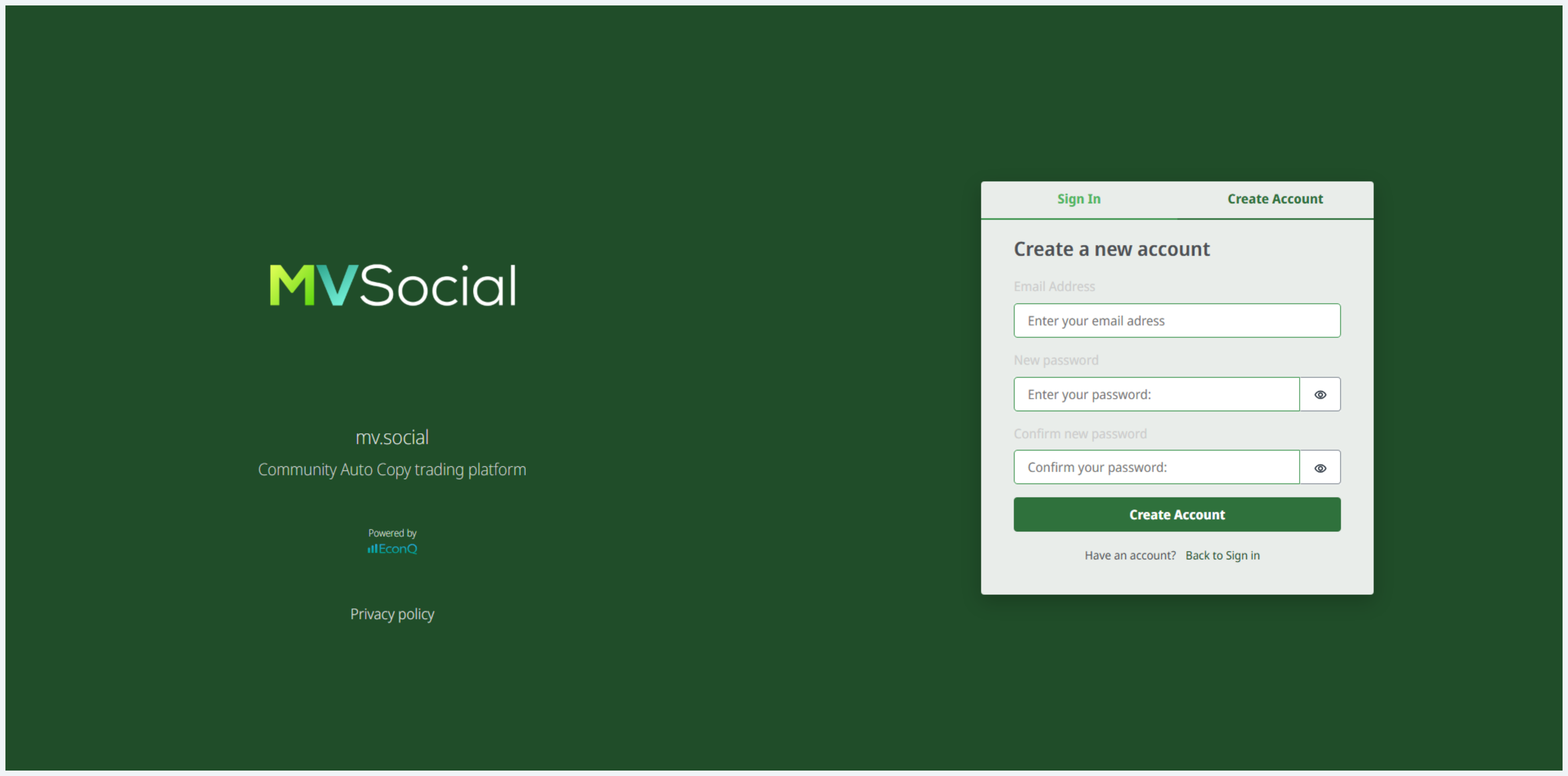
On the MVSocial sign-in screen, choose Create Account. Enter the email address you'll use for this provider account.
This account becomes the provider identity
The MV Social account becomes the identity linked to your copy-trading activity. If you already have an MV Social account, sign in instead, don't create a duplicate.
Send sign-up email to 10X for verification
The provider sends their MV Social sign-up email + CU (client user) number to the 10X team. 10X works with MV support to convert the account into a verified Signal Provider.
- The email address used to register with MV Social
- The CU (client user) number once they have it
- Passes the info to MV support
- MV upgrades the account from default follower to verified Signal Provider
- 10X confirms back to the provider when the upgrade is done
Hard gate, do not proceed past this step
Do not proceed to Step 4 until 10X has confirmed your account has been upgraded to Signal Provider. If you skip ahead, the Create New action won't produce a publishable program, the account stays a default follower.
Open CopyTrading panel and prepare a program
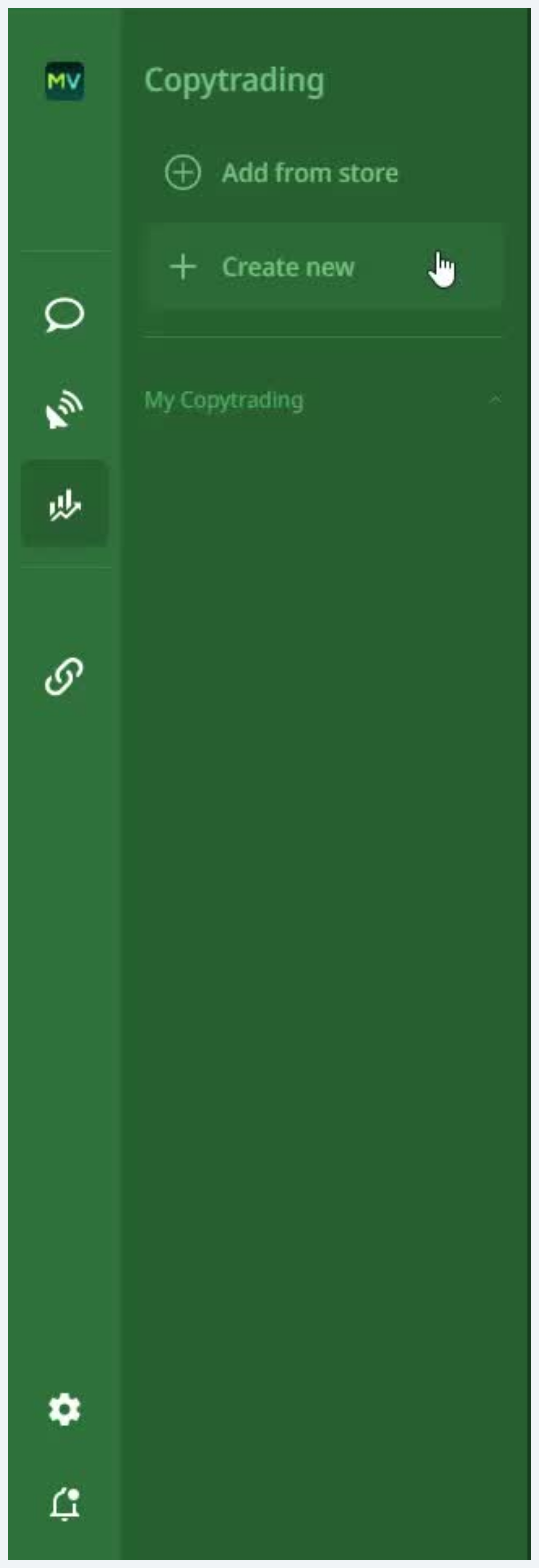
Once verified as a Signal Provider, return to the CopyTrading panel. The empty panel shows two options: an Add from store option and a Create New action.
Click Create New to start defining the program you'll publish.
Click "Create a new Copytrading program"
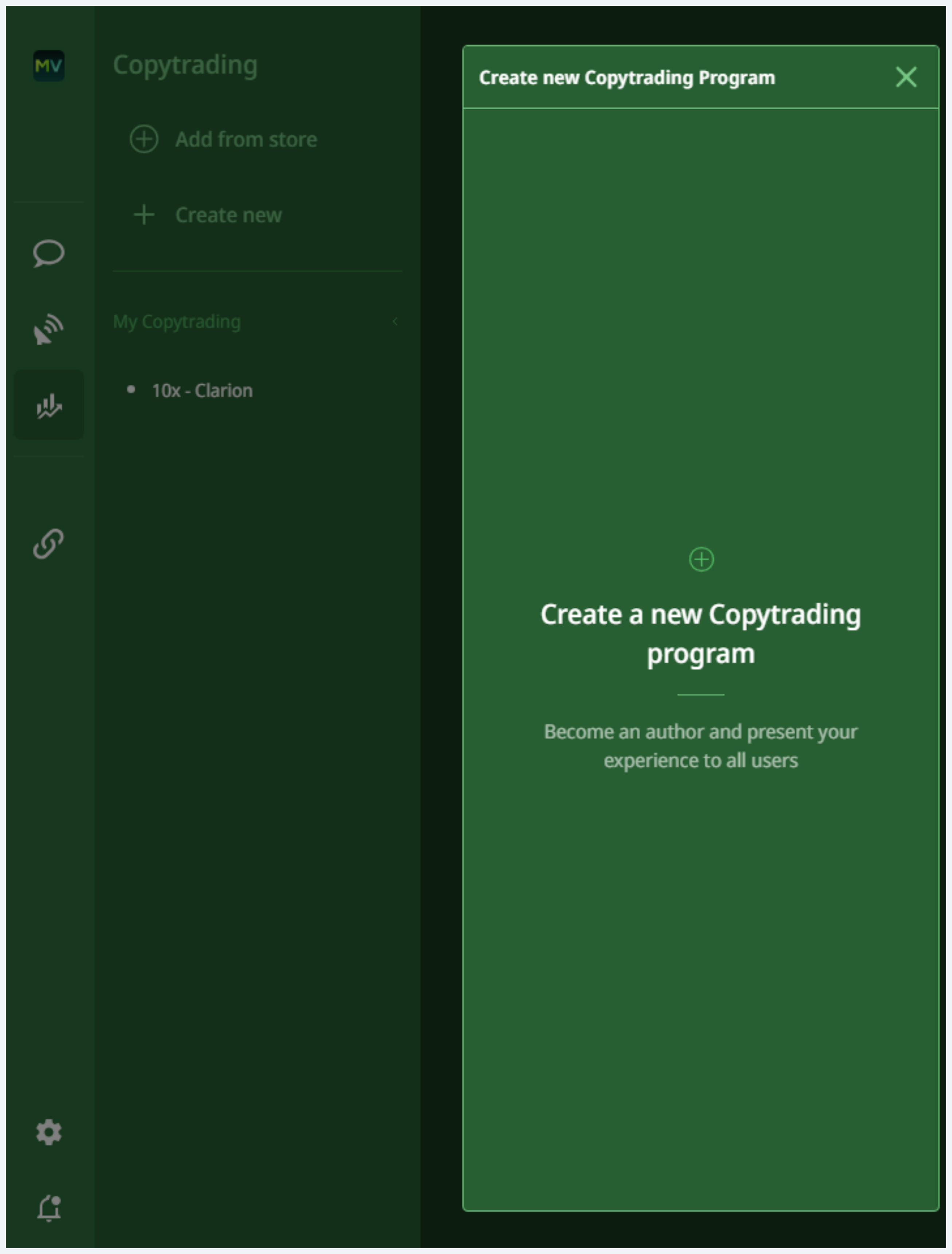
A panel appears with the prompt "Create a new Copytrading program, Become an author and present your experience to all users."
Click this option to open the program creation form.
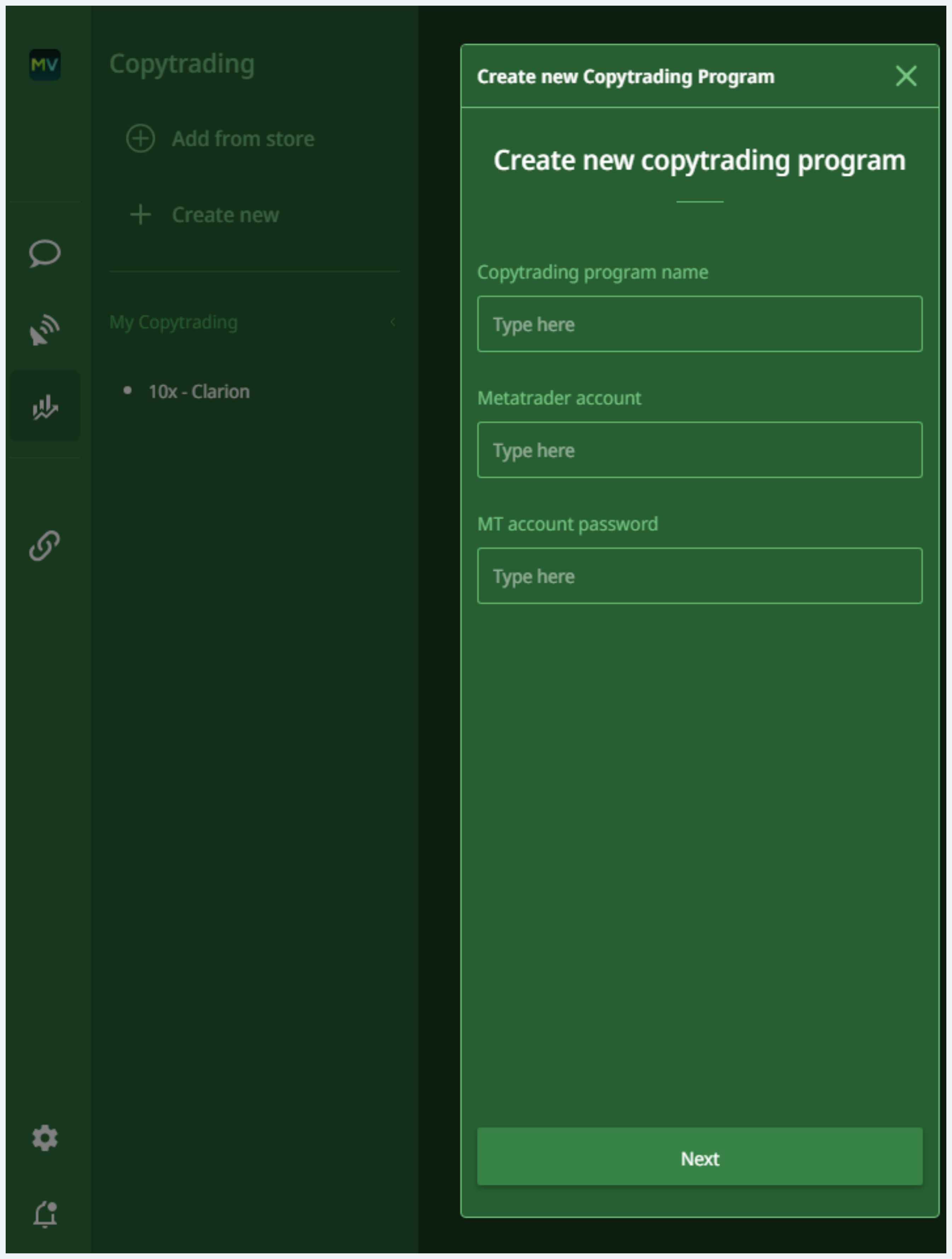
Fill in the program creation form
Complete the two required fields and submit.
- Strategy name: the public name your strategy will display under in the marketplace
- MetaTrader account: the live MT5 account number whose trades will be published as the strategy signal
Submit the form to create the program.
Strategy name is public & permanent
This is what copiers see in the marketplace. Pick it deliberately. The MetaTrader account you nominate is the source-of-truth for every trade signal that gets published, make sure it's the right one.
Notify 10X the program exists
Once the program is created, send a message to the 10X team confirming three things. 10X works with MV to complete the second verification step so the strategy becomes active in the marketplace.
- Strategy name
- MetaTrader account number used
- Desired performance fee percentage
Until 10X verifies, the program is dormant
The program will remain in an unverified state until 10X completes the second verification with MV. Clients and copiers cannot subscribe to it during this period.
Don't skip the performance fee
If the performance fee isn't communicated to 10X, the program goes live at 0% and revenue is lost until it's corrected. Always include the desired % in the same message.
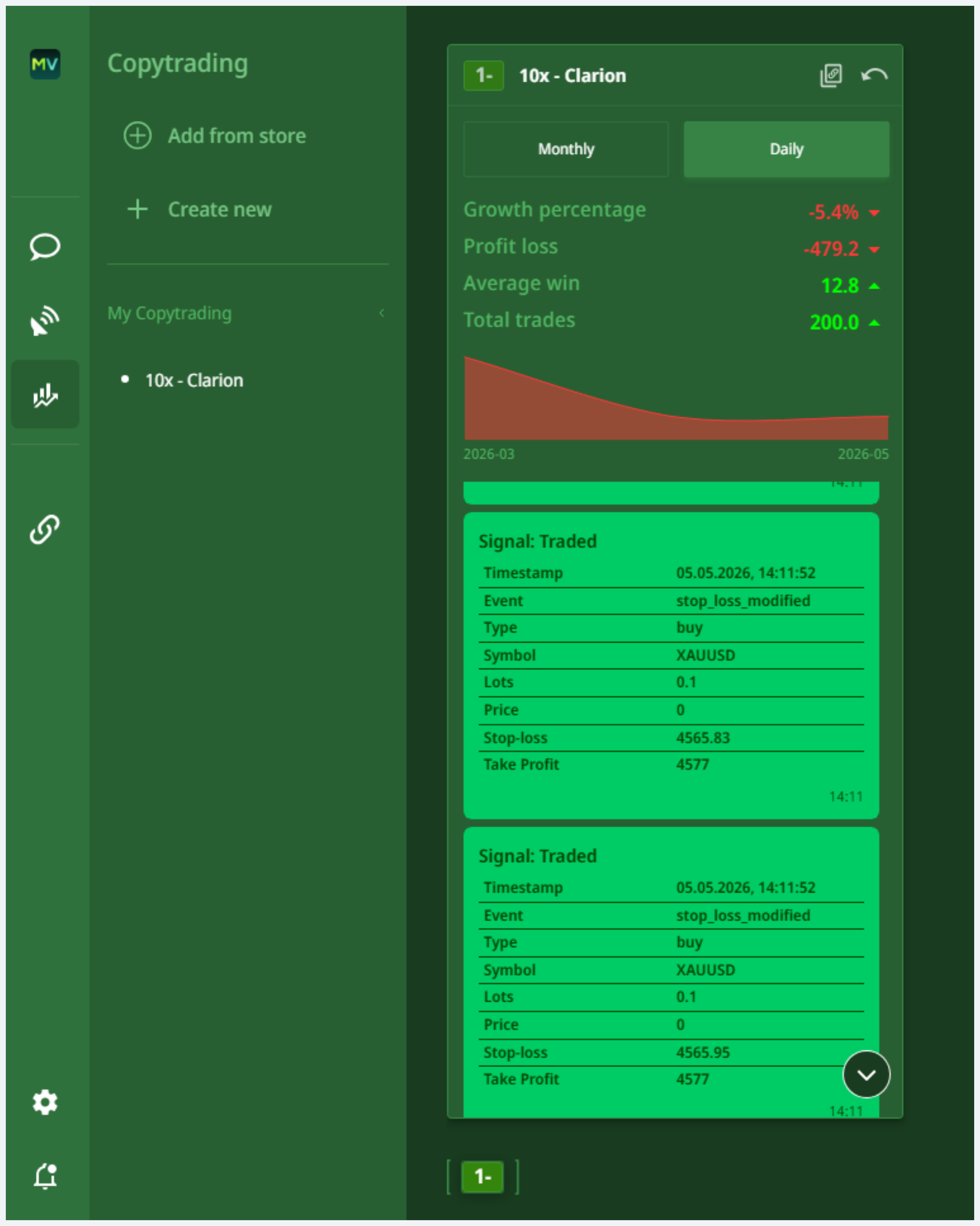
Review your program statistics
Once active, your program displays performance statistics. Use this view to confirm signals are being captured correctly.
- Monthly / Daily toggle: switch between cadences
- Growth percentage, Profit / loss, Average win, Total trades
- Signal Traded log: each event with timestamp, event, type, and symbol
Manage program subscriptions in Settings
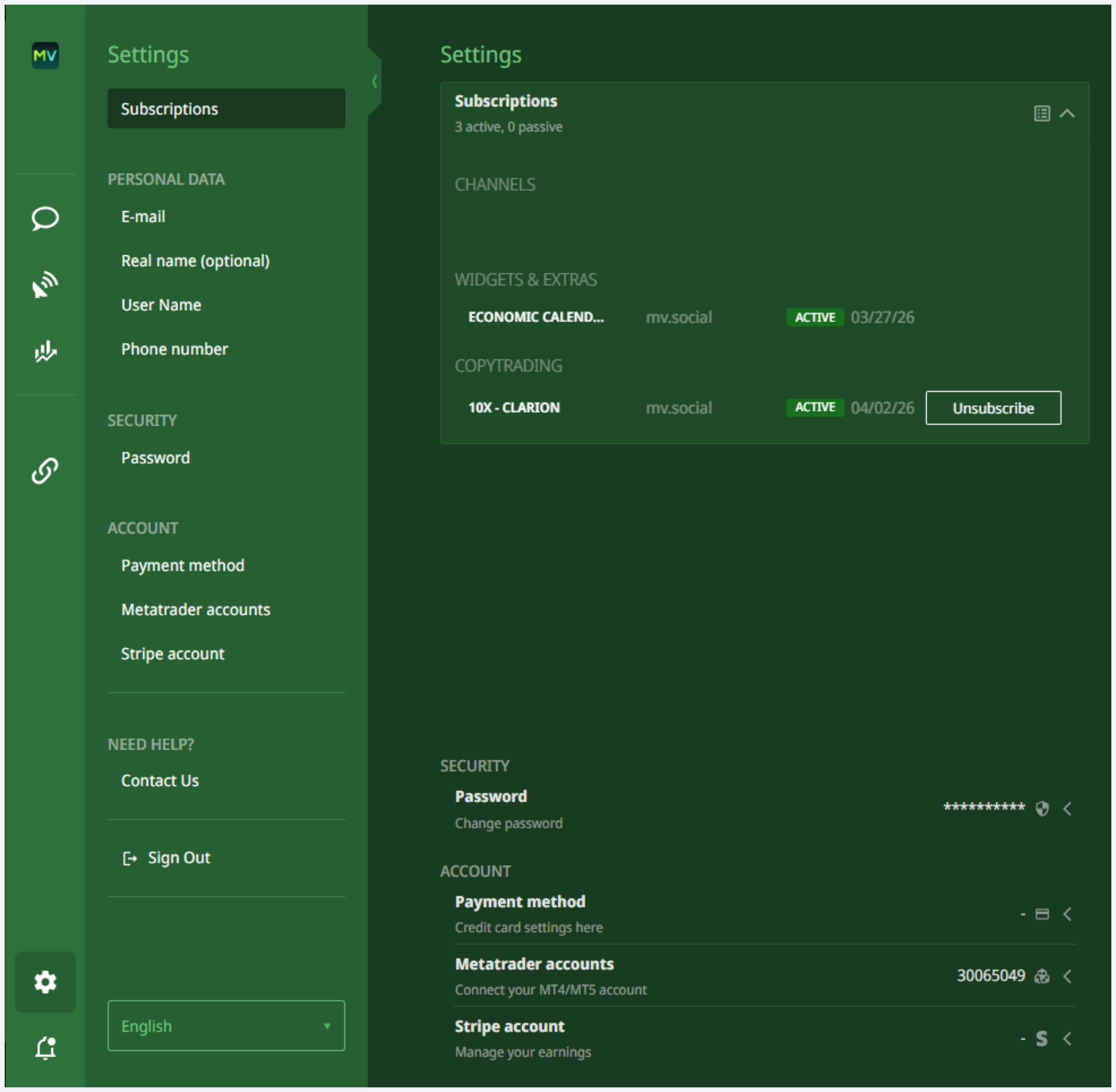
From the Settings panel, open the Subscriptions section. This is where the active program is listed and where account management fields are accessible.
- The active program with status (example: 10X-CLARION mv.social ACTIVE 04/02/26)
- Unsubscribe action against the program
- Personal data
- Stripe account
- Password
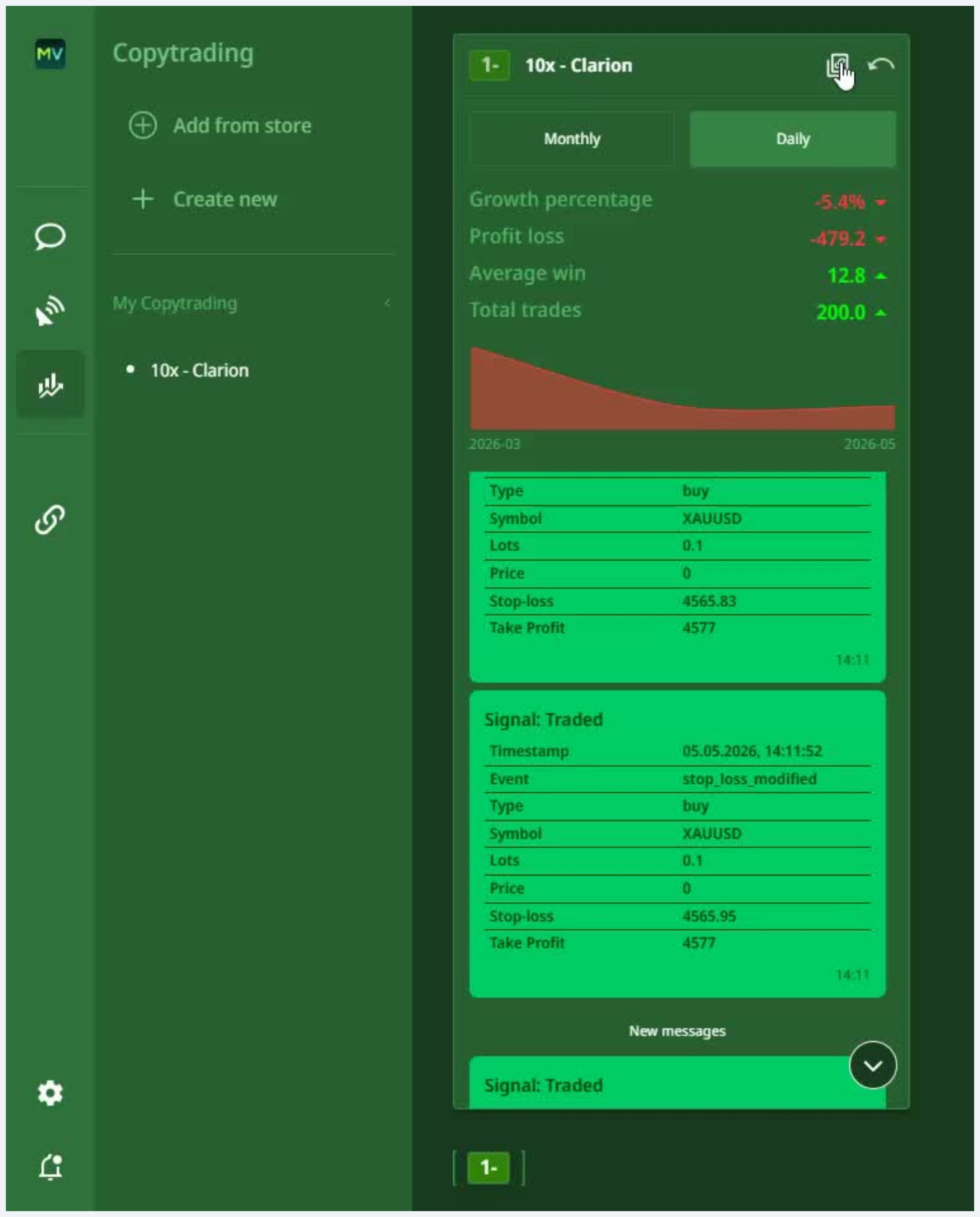
Copy your strategy link
Click the link tab in the top-right of the program view to copy the strategy's public link. This link is what 10X uses to connect the strategy to the 10X Dashboard marketplace.
- Copy the link from the program view
- Send it to the 10X team OR paste it in the assigned Slack thread
- 10X uses the link to wire the strategy's Copy button on the 10X Dashboard
This closes the loop with the Copier flow
Once the link is wired, copiers coming through the 10X Dashboard (Doc 06) hit a Copy button that's pre-bound to this exact strategy. That's the preferred entry path, two fewer clicks than the MarketVox flow (Doc 05).
All four DoD signals must be true for the provider to be considered fully live in the marketplace.
MV Social account created and verified as Signal Provider
Account upgraded by 10X + MV after Step 3 manual gate completes.
Copy-trading program created with strategy name and MT5 account
Step 6 form submitted with both required fields.
10X notified, performance fee set, strategy verified by MV
Step 7 manual gate completed. Performance fee > 0% communicated and applied.
Strategy link captured and shared with 10X for marketplace publishing
Step 10 link copied and routed to 10X team for Copy-button wiring.
Skipping Step 3
The account remains a default follower, not a Signal Provider. The Create New action will not produce a publishable program. Always wait for 10X to confirm the upgrade.
Creating the program before MV verifies the underlying account
The program will exist but cannot be subscribed to. Visible to the provider but invisible to copiers.
Forgetting to communicate the performance fee
The program goes live at 0% and revenue is lost until corrected. Always include the desired fee % in the Step 7 message to 10X.